
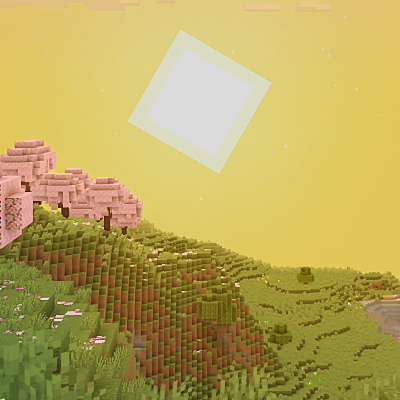
Why I Like Vanilla is a top-tier shader mod for Minecraft 1.21.11
A shader that improves minecraft's style instead of replacing it
⚙️ Quick Resource Specs
| Mod Creator | what42pizza |
| Latest Version | 1.21.11 |
| Supported Game Versions | 1.21.11, 1.21.10, 1.21.9, 1.21.8, 1.21.7 |
| File Size | 178.55 KB |
| Last Updated | |
| Total Downloads | 526,410 downloads |
I'm currently looking for a job, if your company is looking for experienced programmers then please let me know!
Report Bugs Discord License
About:
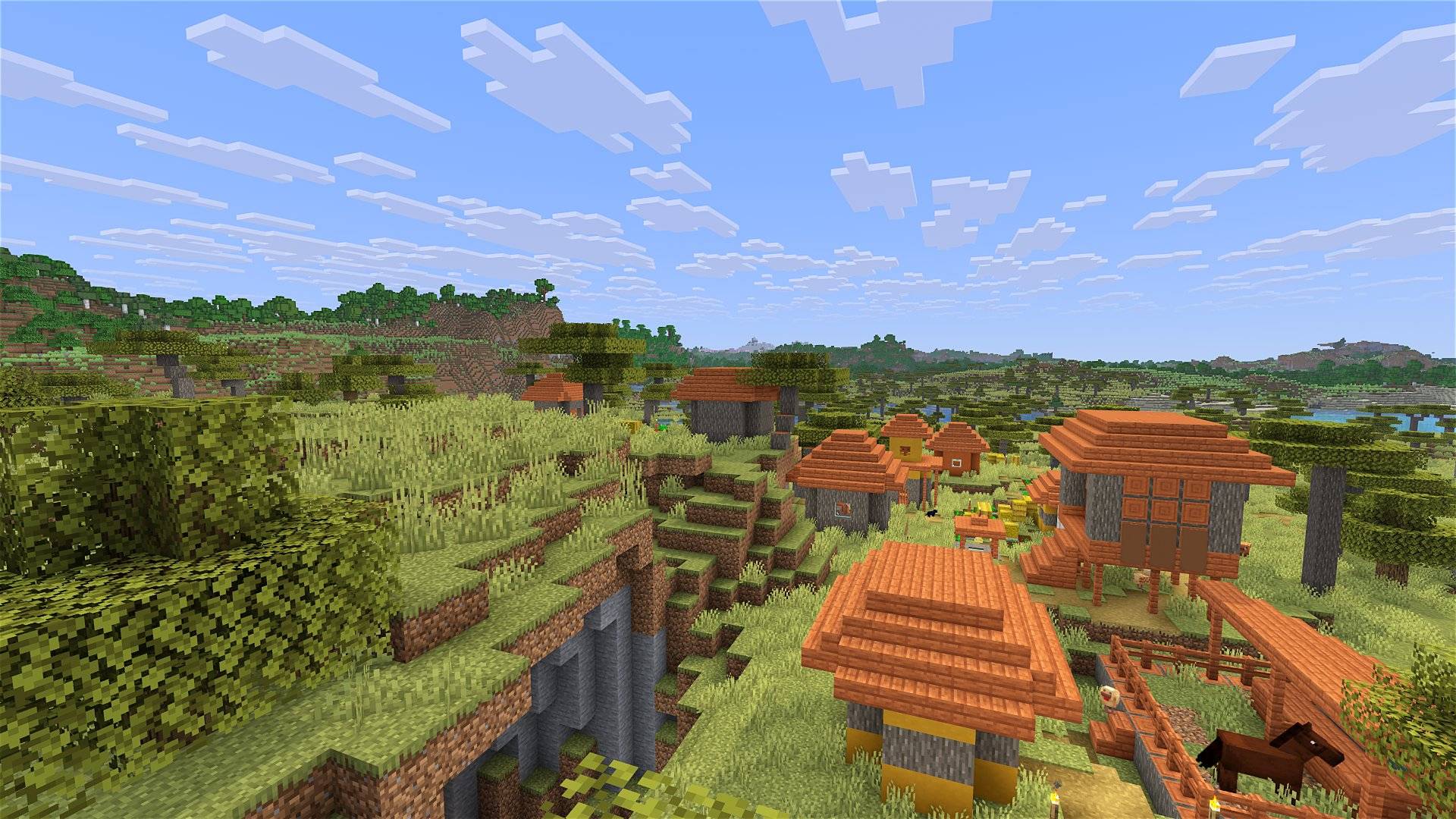
Shaders typically fall into one of two camps: completely overhauling minecraft's style or completely copying it. This shader aims to overhaul the graphics while making it feel like nothing has changed. It's the same style as vanilla minecraft but built for my own preferences, which are:
- Beautiful and Pleasant
- Unobtrusive
- Sharp AA
- Gameplay-Oriented
- Interesting and Exciting
- Performant
Supports Voxy, Distant Horizons, Colorwheel, and more!
Note: Optifine is only partially supported. If you think it should be more supported, you can always let me know
How to install:
- 1: Install either Fabulously Optimized (full modpack, preferred) or Iris/Occulus (single mod, can be added anywhere)
- 2: Download the latest version of this shader
- (If you want to see the values used by each style, you can download a style-specific version)
- 3: Launch minecraft, go to the shaderpacks menu, and click the 'Open Shader Packs Folder' button
- 4: Put the downloaded shader zip into the shaderpacks folder
- 5: Select the shader within the shaderpacks menu
Performance Comparisons:
I'm not sure how trustworthy these results are, but it should give you a rough idea of the performance between shaders. Also, you can compare your graphics card to mine here. Tests:
- Makeup UltraFast: 170 fps
- RenderPearl: 133 fps
- I Like Vanilla (Vanilla style): 120 fps
- BSL: 106 fps
- I Like Vanilla (Fantasy style): 93 fps
- Photon: 90 fps
- Complementary Reimagined: 76 fps
More tests:
                  shader:  fps | shader settings
-------------------------------+-------------------
              No Shaders: >250 |
        Makeup UltraFast:  235 | No Effects
          I Like Vanilla:  225 | Vanilla, Potato
          I Like Vanilla:  210 | Fantasy, Potato
          I Like Vanilla:  195 | Vanilla, Very Low
          I Like Vanilla:  179 | Fantasy, Very Low
        Makeup UltraFast:  173 | Low
        Makeup UltraFast:  170 | Medium
             RenderPearl:  167 | Lowest
        Makeup UltraFast:  163 | High
             RenderPearl:  156 | Low
                     BSL:  147 | Minimum
             RenderPearl:  146 | Medium
        Makeup UltraFast:  137 | Extreme
          I Like Vanilla:  137 | Vanilla, Low
Complementary Reimagined:  136 | Potato
                     BSL:  135 | Low
             RenderPearl:  133 | High
Complementary Reimagined:  127 | Very Low
                     BSL:  120 | Medium
          I Like Vanilla:  120 | Vanilla, Medium
          I Like Vanilla:  117 | Fantasy, Low
                  Photon:  112 | Low
                     BSL:  106 | High
 Sildurs Vibrant Extreme:  105 | Default
                     BSL:  104 | Ultra
             RenderPearl:  104 | Ultra
Complementary Reimagined:  98  | Low
                  Photon:  96  | Medium
          I Like Vanilla:  93  | Fantasy, Medium
          I Like Vanilla:  92  | Vanilla, High
                  Photon:  90  | High
Complementary Reimagined:  86  | Medium
          I Like Vanilla:  79  | Vanilla, Ultra
Complementary Reimagined:  76  | High
                  Photon:  70  | Ultra
             RenderPearl:  67  | Extreme
          I Like Vanilla:  63  | Fantasy, High
               SUES PTGI:  56  | Default
Complementary Reimagined:  54  | Very High
          I Like Vanilla:  46  | Fantasy, Ultra
Complementary Reimagined:  41  | Ultra
All of these tests were done with a GTX 1070 + 16 Chunks + 1080p + Distant Horizons + Fabulously Optimized + Linux + default shader settings.

Credits:
- Complementary Reimagined: Noise textures
- Ian McEwan, Ashima Arts: Simplex noise implementation
- Vildravn: Colorblindness correction filters
- Simon Rodriguez: FXAA implementation
- Nathan Reed: Easy hashing function
- Stephen Hill: ACES tonemapper implementation
License Overview:
This is not exact or binding in any way.
You can (with restrictions):
- Use this for gameplay, screenshots, videos, etc
- Use this in modpacks
- Create public and/or private modifications
- Reuse shader code
You cannot (without any exceptions):
- Redistribute this shader with little to no modifications
- Create shortened / indirect links to this shader
You can read the full license Here.
Note: this shader has very limited testing and is very likely to break in niche cases, but I'm very open to fixing any and all bugs that are reported
Please visit your local church
The Ultimate Guide to I Like Vanilla
If you are exploring the vast world of Minecraft modifications, I Like Vanilla by what42pizza is a standout shader that deserves your attention. With over 526,410 downloads, it has become a staple for players looking to enhance their experience. As the creator describes it, this project is "A shader that improves minecraft's style instead of replacing it". Whether you are a veteran builder constructing massive cities, or simply a casual player looking to upgrade your survival world, this guide will provide you with all the essential details on how I Like Vanilla alters the game.
What Makes It Special?
Unlike standard shaders that simply alter superficial elements, I Like Vanilla introduces a wide array of visual and mechanical features designed to seamlessly blend into the vanilla aesthetic. what42pizza has clearly spent significant time refining the project to ensure that every aspect feels polished and responsive for version 1.21.11.
Installation Guide
Getting I Like Vanilla up and running is straightforward. Follow these step-by-step instructions:
- Verify Your Version: Ensure your Minecraft launcher is set to version 1.21.11.
- Install Mod Loader (if required): If this is a mod, download the compatible loader (Forge, Fabric, NeoForge).
- Download the File: Click the secure download button above to retrieve the official file from CurseForge.
- Move the File: Place the downloaded file into your `mods`, `shaderpacks`, or `resourcepacks` folder depending on the shader type.
- Launch and Enjoy: Open Minecraft, navigate to the respective settings menu, and activate I Like Vanilla.
Compatibility & Performance
Compatibility is robust. I Like Vanilla is designed specifically for version 1.21.11, taking full advantage of the latest engine optimizations. During typical gameplay, this addition maintains a stable frame rate, though lower-end laptops might experience slight stuttering. We recommend pairing this with performance boosters like Sodium or Iris to guarantee a silky-smooth experience.


