

Why MakeUp - Ultra Fast | Shaders is a top-tier shader mod for Minecraft 1.21.11
High performance shaders. Gameplay oriented. Lightweight.
⚙️ Quick Resource Specs
| Mod Creator | XavierFST |
| Latest Version | 1.21.11 |
| Supported Game Versions | 1.21.11, 1.21.10, 1.21.9, 1.21.8, 1.21.7 |
| File Size | 389.49 KB |
| Last Updated | |
| Total Downloads | 46,034,899 downloads |
OS: Windows ✓ - Linux ✓ - MacOS ?
GPUs: Intel ✓ - Nvidia ✓ - AMD ✓
MakeUp version 8.7 or higher requires Iris 1.5.1 or higher to work!
Note:
There is always an effort to solve problems or bugs that may arise, but it is almost impossible to make a shader that is compatible with all possible combinations of hardware and software. And unfortunately I don't have each and every possible combination available to me to test.
If I can't reproduce an error, because it depends on your particular hardware and software, there is little I can do, and I probably won't be able to solve the problem. Thanks for your understanding.
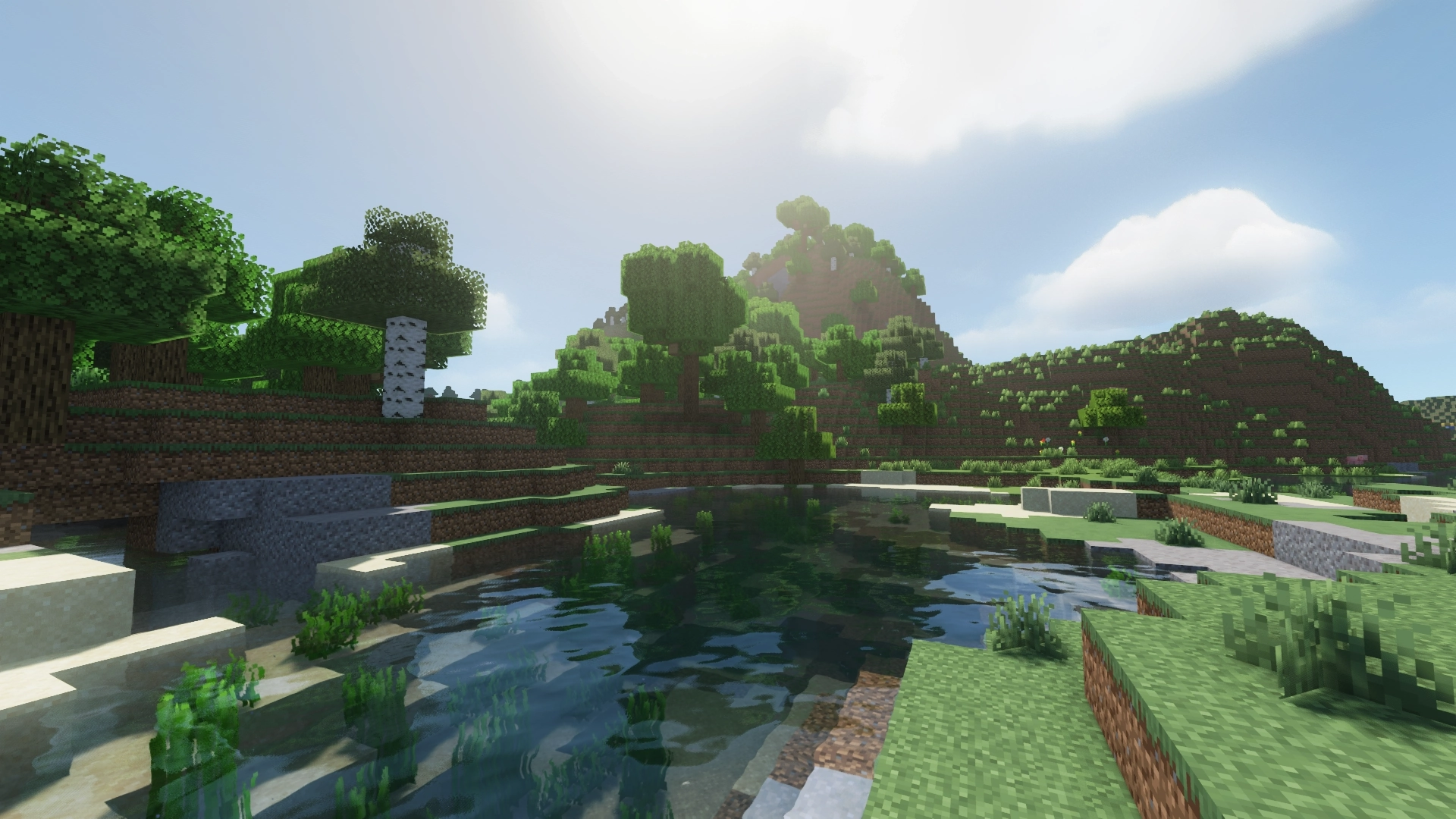
MakeUp Ultra Fast | Shaders
MakeUp aims to provide the best quality / performance ratio, building a shader that can be adapted to anyone's resources. Build the shader you want! All the effects are optional!, and you will only consume the resources that you want.
Optional features:
- Shadows
- Depth of field
- Temporary anti-aliasing
- Improved ambient occlusion
- Chromatic aberration
- Motion blur
- Volumetric clouds
- Volumetric light
- Reflexes
- Waving plants
- … and more
Color schemes:
It can be boring that everything looks the same all the time. Choose a color scheme according to your tastes and change it whenever you want.
Recommendations:
- Leave Optifine's native shader options at their default values, otherwise you may see shader quality reduced. Customize using only the options of the shader itself.
- Shadows and depth of field are resource-intensive effects. You can remove them if you need more performance, and it will still look great.
Bug report:
- Clearly specify which mod is causing the problem (if any)
- Verify that the cause of the problem is not a resource package (in any case, indicate which one it is).
- IMPORTANT: Specify step by step, what is necessary to reproduce the bug. A screenshot is not enough.
Help me. Developing a shader is time consuming, and searching for errors is much more time consuming. If these requirements are not met, the bug report will not even be considered. Thank you.
The fact that there is a report does not mean that the problem will be resolved.
Install
- You need Optifine or Iris to use the shader: https://optifine.net/downloads - https://irisshaders.dev/
- Put this shaderpack inside .minecraft\shaderpacks
- Launch Minecraft.
- Go to Options -> Video Settings -> Shaders.
- Choose MakeUp-UltraFast.
The Ultimate Guide to MakeUp - Ultra Fast | Shaders
If you are exploring the vast world of Minecraft modifications, MakeUp - Ultra Fast | Shaders by XavierFST is a standout shader that deserves your attention. With over 46,034,899 downloads, it has become a staple for players looking to enhance their experience. As the creator describes it, this project is "High performance shaders. Gameplay oriented. Lightweight.". Whether you are a veteran builder constructing massive cities, or simply a casual player looking to upgrade your survival world, this guide will provide you with all the essential details on how MakeUp - Ultra Fast | Shaders alters the game.
What Makes It Special?
Unlike standard shaders that simply alter superficial elements, MakeUp - Ultra Fast | Shaders digs deep into the game's engine to provide a cohesive, performance-focused experience. XavierFST has clearly spent significant time refining the project to ensure that every aspect feels polished and responsive for version 1.21.11.
Installation Guide
Getting MakeUp - Ultra Fast | Shaders up and running is straightforward. Follow these step-by-step instructions:
- Verify Your Version: Ensure your Minecraft launcher is set to version 1.21.11.
- Install Mod Loader (if required): If this is a mod, download the compatible loader (Forge, Fabric, NeoForge).
- Download the File: Click the secure download button above to retrieve the official file from CurseForge.
- Move the File: Place the downloaded file into your `mods`, `shaderpacks`, or `resourcepacks` folder depending on the shader type.
- Launch and Enjoy: Open Minecraft, navigate to the respective settings menu, and activate MakeUp - Ultra Fast | Shaders.
Compatibility & Performance
Compatibility is robust. MakeUp - Ultra Fast | Shaders is designed specifically for version 1.21.11, taking full advantage of the latest engine optimizations. Since this is heavily focused on optimization, you can expect significant frame rate improvements on both low-end and high-end hardware.


