
Why AziFy Natural Shader | AFN | MCBE/PE is a top-tier shader mod for Minecraft 1.21
Developed by the talented creator Azion_Studios, AziFy Natural Shader | AFN | MCBE/PE stands out as a highly recommended selection for your Minecraft client. It is fully optimized, compatibility-tested, and brings a major upgrade to the gameplay experience in Minecraft version 1.21.
⚙️ Quick Resource Specs
| Mod Creator | Azion_Studios |
| Latest Version | 1.21 |
| Supported Game Versions | Minecraft 1.21+ |
| File Size | 2.44 MB |
| Last Updated | |
| Total Downloads | 139,951 downloads |
Supports 1.26.13+
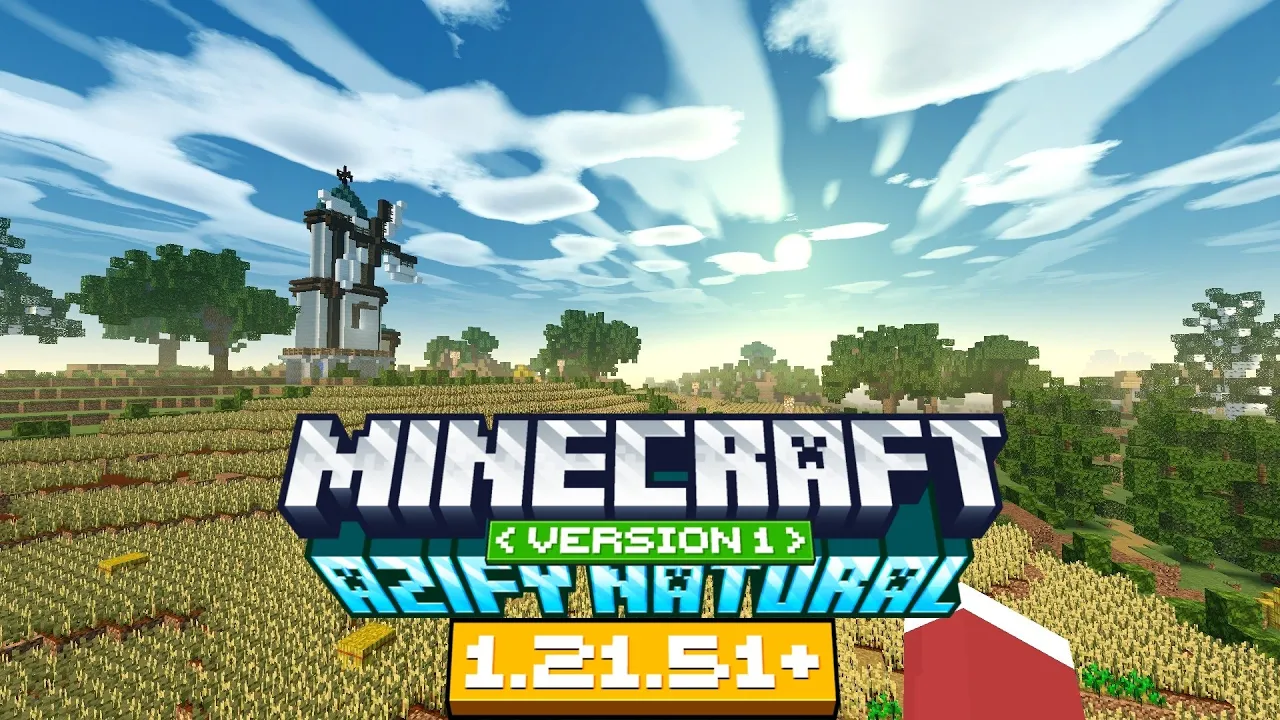
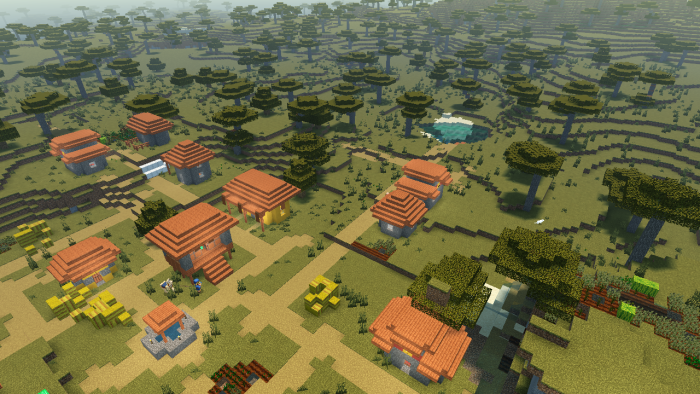
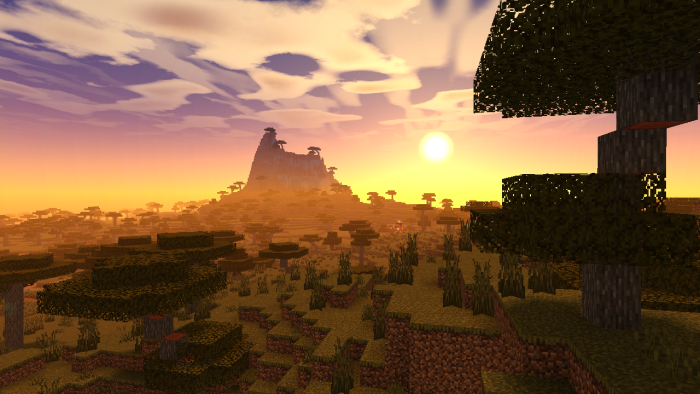
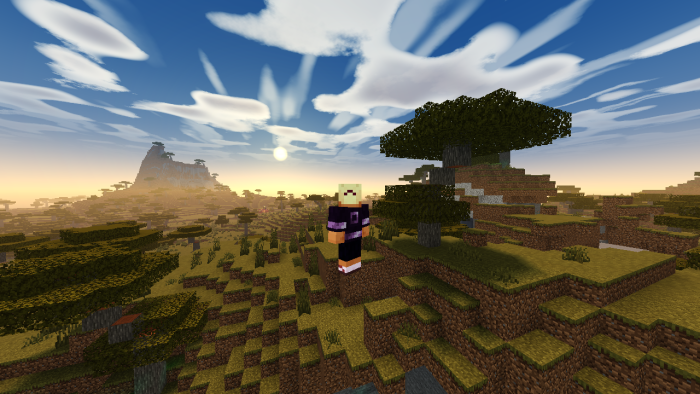
Azify Natural is a realistically themed Minecraft Bedrock Shader that enhances the default aesthetics. It supports Android, Windows, and iOS devices of Minecraft 1.21+
For "Windows, Android and iOS" Download from the link provided!
Downloads (Android, iOS, Windows)
This shader will not work without using required patches! Please read the installation guide before downloading.
Features
- Realistic Color Enhancements
- New Clouds – More natural and dynamic skies
- Better End & Nether – Enhanced mystical and fiery landscapes
- Improved Underwater Rendering – More depth and realism
- Refined Stars – Sharper, more immersive night skies
- Insane Water revamp
- Quality Sun Bloom
- Glowing Ores
- Plants Wave
- Sharper and Quality Shadows
- And *MORE!!
Installation
Disclaimer: Minecraft Bedrock does not officially support loading custom shaders. The following are unofficial methods for loading shaders.
Android
1. Install MB Loader APK.
2. Import the resource pack to Minecraft and activate it in global resources.
3. Launch Minecraft through MB Loader APK.
Windows
- Use BetterRenderDragon or MatJect to enable Material Bin Loader (shader loader).
- Import the resource pack and activate it in global resources.
If BetterRenderDragon does not support your Minecraft version, use this Matject tool (search in github) to install shaders.
Linux (x86_64 arch)
This method is for mcpelauncher-manifest.
1. Install mcpelauncher-materialbinloader-mod.
2. Import the resource pack and activate it in global resources.
*iOS
Sorry. There isn't an easy method to install shaders on iOS devices. You either require jailbreak or would have to install an untrusted IPA.
Downloads (Android, iOS, Windows)
NOTE:
This shader only works on 1.21.100+ since Mojang changed the lighting there. If you try it on older versions like 1.21.94, it’ll just bug out because of the old lighting system.
MERGED - means it contains ios, android and windows in one file.
Search terms: realistic shader mcpe, best shaders, shaders, shader, mcpe, rtx, no lag
Downloads (Android, iOS, Windows)
The Ultimate Guide to AziFy Natural Shader | AFN | MCBE/PE
If you are exploring the vast world of Minecraft modifications, AziFy Natural Shader | AFN | MCBE/PE by Azion_Studios is a standout shader that deserves your attention. With over 139,951 downloads, it has become a staple for players looking to enhance their experience. As the creator describes it, this project is "Features dynamic lighting, realistic water and sky rendering, optimized performance and clean visuals that push mobile shaders further. Great balance of beauty + speed". Whether you are a veteran builder constructing massive cities, or simply a casual player looking to upgrade your survival world, this guide will provide you with all the essential details on how AziFy Natural Shader | AFN | MCBE/PE alters the game.
What Makes It Special?
Unlike standard shaders that simply alter superficial elements, AziFy Natural Shader | AFN | MCBE/PE digs deep into the game's engine to provide a cohesive, performance-focused experience. Azion_Studios has clearly spent significant time refining the project to ensure that every aspect feels polished and responsive for version 1.21.
Installation Guide
Getting AziFy Natural Shader | AFN | MCBE/PE up and running is straightforward. Follow these step-by-step instructions:
- Verify Your Version: Ensure your Minecraft launcher is set to version 1.21.
- Install Mod Loader (if required): If this is a mod, download the compatible loader (Forge, Fabric, NeoForge).
- Download the File: Click the secure download button above to retrieve the official file from CurseForge.
- Move the File: Place the downloaded file into your `mods`, `shaderpacks`, or `resourcepacks` folder depending on the shader type.
- Launch and Enjoy: Open Minecraft, navigate to the respective settings menu, and activate AziFy Natural Shader | AFN | MCBE/PE.
Compatibility & Performance
Compatibility is robust. AziFy Natural Shader | AFN | MCBE/PE is designed specifically for version 1.21, taking full advantage of the latest engine optimizations. Since this is heavily focused on optimization, you can expect significant frame rate improvements on both low-end and high-end hardware.


