
Why Framework is a top-tier mod mod for Minecraft 1.20.1
A common library powering all of MrCrayfish's Mods
⚙️ Quick Resource Specs
| Mod Creator | MrCrayfish |
| Latest Version | 1.20.1 |
| Supported Game Versions | 1.20.1 |
| File Size | 374.87 KB |
| Last Updated | |
| Total Downloads | 123,400,296 downloads |





📙 About:
Framework is a library designed to aid in the development of multi-platform mods, containing systems for registration, network messages, and more. In addition, Framework contains additional features to further unlock the potential of modding, which can be read below.
🚀 Open Model Format
Open Model Format is an extension to Vanilla's JSON Block Model format. It removes the arbitrary restrictions placed on designing block models, this means you can now rotate an element to any angle instead of 22.5 increments. It also allows elements to be positioned and sized larger than the maximum bounds [-16,-16, -16] to [32, 32, 32]. Below is an example of a helicopter model used in a vehicle mod.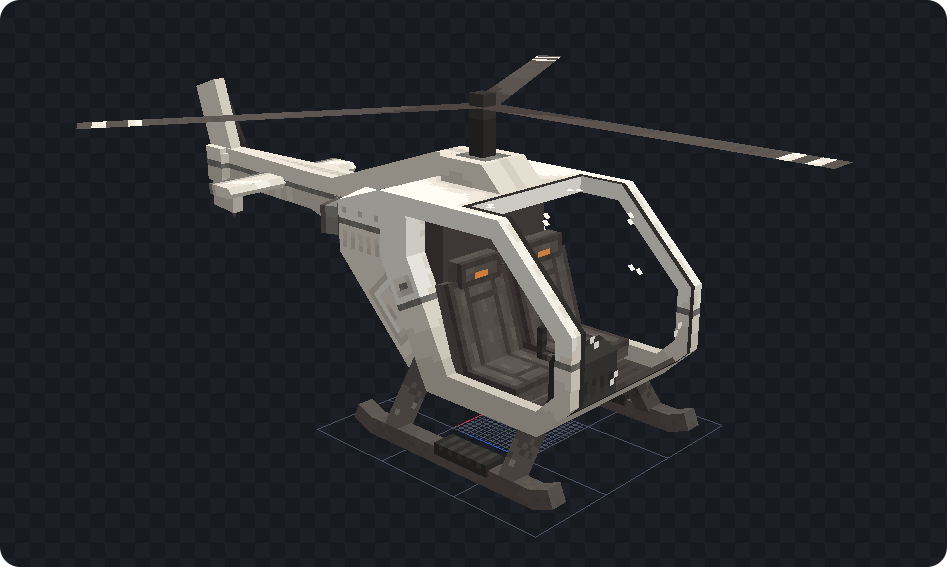
🔑 Synced Data Keys
Synced Data Keys are an improvement of Minecraft's entity data accessor system. It allows you to attach additonal data to any entity without the need of writing a complex capability. The benefit of using Framework's Synced Data Keys is the powerful features it provides. As mentioned by in the name, the data can be automatically synced to clients; this means you don't have to deal with packets. The data can be saved to the entity so it's remembered across world reloads or server restarts. Unlike Minecraft's system, Framework adds an option to allow your data to persist across deaths instead of being reset back to it's default value. Not convinced yet? Check out the example below to see how simple but powerful this system is.
An example of keeping track of how many times a chicken has been hit by players.
// Creating a synced data key
private static final SyncedDataKey<Chicken, Boolean> HIT_COUNT = SyncedDataKey.builder(SyncedClassKey.CHICKEN, Serializers.INTEGER)
    .id(new ResourceLocation("your_mod_id", "hit_count"))
    .defaultValueSupplier(() -> 0)
    .saveToFile()
    .syncMode(SyncMode.TRACKING_ONLY)
    .build();

// Call this in your common setup
FrameworkAPI.registerSyncedDataKey(HIT_COUNT);

// Forge event for when a player attacks an entity
void onHitEntity(AttackEntityEvent event) {
    if(event.getTarget() instanceof Chicken chicken) {
        int newCount = HIT_COUNT.getValue(chicken) + 1;
        HIT_COUNT.setValue(chicken, newCount);
    }
}
📦 Easy Login Packets
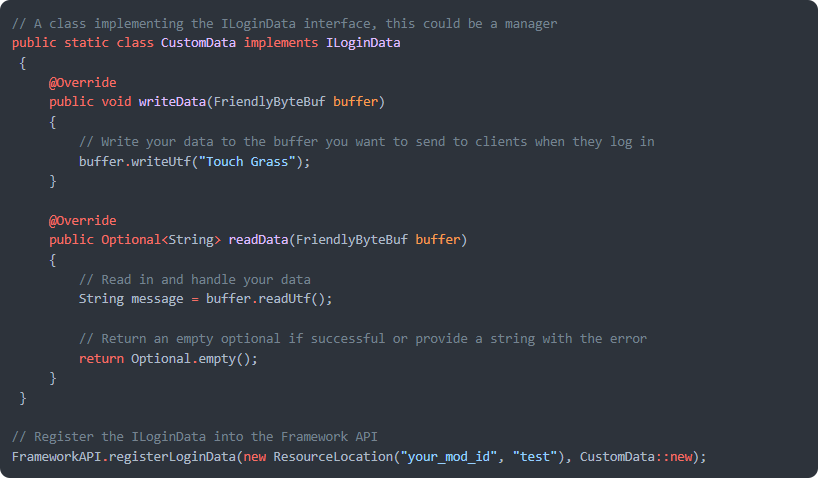
Forge has the ability to allow developers to create login packets, however implementing it requires a significant amount of code. Framework condenses the required code into a simple registration method and will handle sending your data to clients.
📔 Developers:
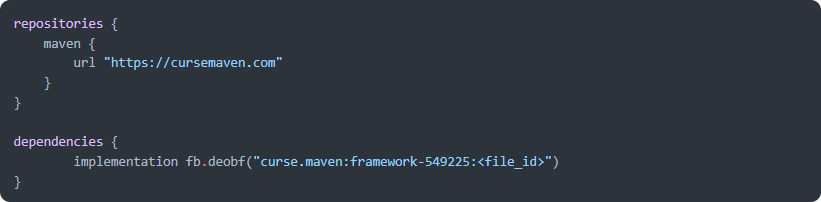
Discover how Framework can be beneficial to your development by reading about it's features here.
🙋♀️ Need Support? Join the Official Discord Server:
The comment section isn't great for support, join the official discord server. You can get help installing and configuring mods, resolving crashes and more! Plus you'll also get access to news about mod updates and development (before anywhere else).

The Ultimate Guide to Framework
If you are exploring the vast world of Minecraft modifications, Framework by MrCrayfish is a standout mod that deserves your attention. With over 123,400,296 downloads, it has become a staple for players looking to enhance their experience. As the creator describes it, this project is "A common library powering all of MrCrayfish's Mods". Whether you are a veteran builder constructing massive cities, or simply a casual player looking to upgrade your survival world, this guide will provide you with all the essential details on how Framework alters the game.
What Makes It Special?
Unlike standard mods that simply alter superficial elements, Framework introduces a wide array of visual and mechanical features designed to seamlessly blend into the vanilla aesthetic. MrCrayfish has clearly spent significant time refining the project to ensure that every aspect feels polished and responsive for version 1.20.1.
Installation Guide
Getting Framework up and running is straightforward. Follow these step-by-step instructions:
- Verify Your Version: Ensure your Minecraft launcher is set to version 1.20.1.
- Install Mod Loader (if required): If this is a mod, download the compatible loader (Forge, Fabric, NeoForge).
- Download the File: Click the secure download button above to retrieve the official file from CurseForge.
- Move the File: Place the downloaded file into your `mods`, `shaderpacks`, or `resourcepacks` folder depending on the mod type.
- Launch and Enjoy: Open Minecraft, navigate to the respective settings menu, and activate Framework.
Compatibility & Performance
Compatibility is robust. Framework is designed specifically for version 1.20.1, taking full advantage of the latest engine optimizations. During typical gameplay, this addition maintains a stable frame rate, though lower-end laptops might experience slight stuttering. We recommend pairing this with performance boosters like Sodium or Iris to guarantee a silky-smooth experience.


