
Why Flux Networks is a top-tier mod mod for Minecraft 1.21.1
Wireless Energy Networks, compatible with FE/EU/RF/TESLA/AE
⚙️ Quick Resource Specs
| Mod Creator | sonar_sonic |
| Latest Version | 1.21.1 |
| Supported Game Versions | 1.21.1, 1.20.1, 1.20, 1.18.2, 1.12.2 |
| File Size | 395.18 KB |
| Last Updated | |
| Total Downloads | 132,035,492 downloads |
Flux Networks By SonarSonic
Description: Flux Networks gives you the ability to build Wireless Energy Networks. It allows you to customise these networks and manage the flow of energy across your world. Removing the need to have cables going everywhere, hence decreasing lag and saving you time. Energy can also be transferred across dimensions making energy management simple.
Key Features
- Wireless Cross-Dimensional Transfer
- Automatic Energy Conversion
- Unlimited Transfer Rates
- Support for Forge Energy, EU, AE2 and IE
- Cross-dimensional inventory charging
- Encrypt your networks with password protection
- Organise the priorities of your network
Additional Features
- Name and Colour your networks.
- Name each connection for easier identification.
- Configure the players allowed to access your network
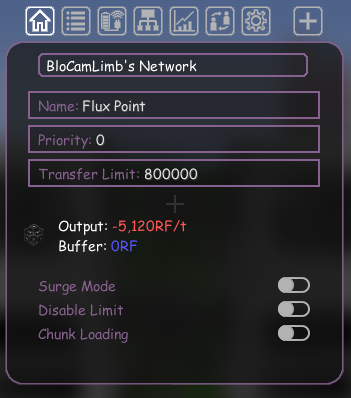
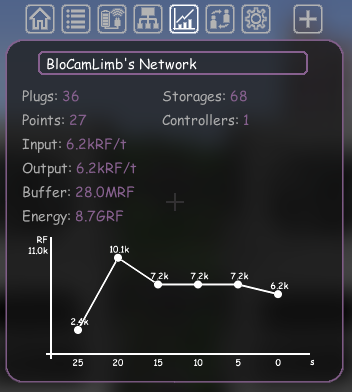
- Graphs to monitor recent energy spikes/drops
- Wireless edit settings for all your connections
- Chunk loading abilities provided by each connection
- Super Admin: delete inactive networks, switch ownership etc.
Screenshots:
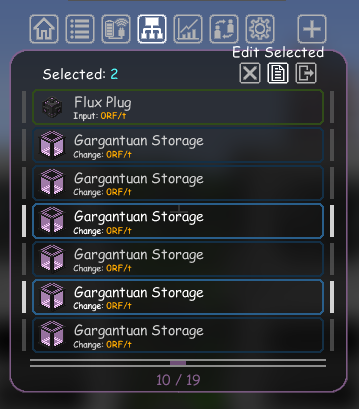
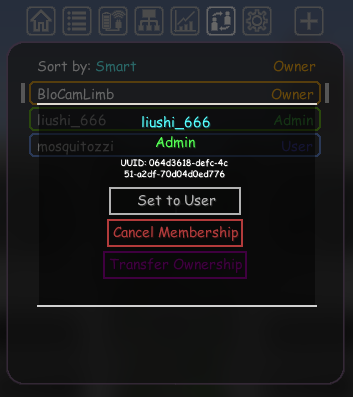

Version 4.0.7 + Above
Flux Networks has been rewritten by BloCamLimb. This new version is more server friendly and no longer requires SonarCore. The majority of the original’s features remains however, some may not have re-implemented yet or have been slightly altered. However, many new features have been added too!
Find out more here
Version 3.0.19 + Below: All of these versions require Sonar Core
Versions for 1.7.10: see Calculator
Mod-Packs: Feel free to use this mod in any mod-pack you wish.
Issues: Please report all issues on the GitHub Page.
Got questions/suggestions? Come join the discord server!
The Ultimate Guide to Flux Networks
If you are exploring the vast world of Minecraft modifications, Flux Networks by sonar_sonic is a standout mod that deserves your attention. With over 132,035,492 downloads, it has become a staple for players looking to enhance their experience. As the creator describes it, this project is "Wireless Energy Networks, compatible with FE/EU/RF/TESLA/AE". Whether you are a veteran builder constructing massive cities, or simply a casual player looking to upgrade your survival world, this guide will provide you with all the essential details on how Flux Networks alters the game.
What Makes It Special?
Unlike standard mods that simply alter superficial elements, Flux Networks introduces a wide array of visual and mechanical features designed to seamlessly blend into the vanilla aesthetic. sonar_sonic has clearly spent significant time refining the project to ensure that every aspect feels polished and responsive for version 1.21.1.
Installation Guide
Getting Flux Networks up and running is straightforward. Follow these step-by-step instructions:
- Verify Your Version: Ensure your Minecraft launcher is set to version 1.21.1.
- Install Mod Loader (if required): If this is a mod, download the compatible loader (Forge, Fabric, NeoForge).
- Download the File: Click the secure download button above to retrieve the official file from CurseForge.
- Move the File: Place the downloaded file into your `mods`, `shaderpacks`, or `resourcepacks` folder depending on the mod type.
- Launch and Enjoy: Open Minecraft, navigate to the respective settings menu, and activate Flux Networks.
Compatibility & Performance
Compatibility is robust. Flux Networks is designed specifically for version 1.21.1, taking full advantage of the latest engine optimizations. During typical gameplay, this addition maintains a stable frame rate, though lower-end laptops might experience slight stuttering. We recommend pairing this with performance boosters like Sodium or Iris to guarantee a silky-smooth experience.


