
Why Ender Storage 1.8.+ is a top-tier mod mod for Minecraft 1.21.1
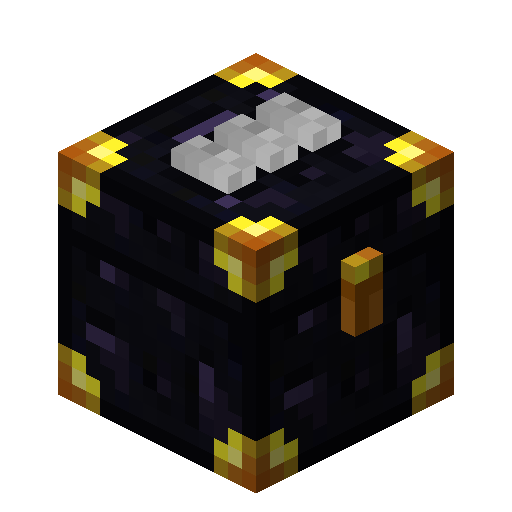
linked color coded ender chests
⚙️ Quick Resource Specs
| Mod Creator | covers1624 |
| Latest Version | 1.21.1 |
| Supported Game Versions | 1.21.1, 1.20.1, 1.19, 1.18.2 |
| File Size | 211.04 KB |
| Last Updated | |
| Total Downloads | 140,416,765 downloads |
These chests link together based on matching color patterns. All chests with the same color buttons share an inventory. Ender bags can be color coded to access chests as well giving you a portable solution to the question "How do I access the stuff at my base when I am not there?"
EnderStorage is a mod that offers a means to store your items in The END, causing them to be everywhere and nowhere at the same time. All EnderStorage makes use of the magic of colors to link storage with its little piece of The END. Any EnderStorage with the same color code share inventory (even across dimensions). Currently there are three types of storage, EnderChest, EnderPouch and EnderTank.
EnderChests are a stationary type of EnderStorage. You can use dye on the wool pads on top of the chest to alter its color code. As an alternative, you can craft an EnderChest with three dyes to change the color code as well. EnderChests work as any other chest for the purposes of blocks that manipulate chests contents. This makes EnderChests an ideal way to transport items over vast distances in an instant.
EnderPouches are a mobile type of EnderStorage. You can use an EnderPouch on any EnderChest to change the pouch color code to match that of the chest. EnderPouches access the same inventory as their EnderChest counterparts, allowing easy access to your base resources right from your inventory.
EnderTanks work on the same principal of EnderChests but store liquids.
Using a diamond on the latch of an Ender Chest will move it to a seperate network for the player that used the diamond. This allows each player to have acceess to all 4096 frequencies without conflicting in SMP
Unstable builds can be found here.
Become a patreon to Chicken-Bones
Become a patreon to covers1624
EcuTruin or Ecu for short is the original developer of Ender Storage and a cool guy!
Join the IRC on Esper.net
Channel #ChickenBones
I have permission from Chicken Bones!
The Ultimate Guide to Ender Storage 1.8.+
If you are exploring the vast world of Minecraft modifications, Ender Storage 1.8.+ by covers1624 is a standout mod that deserves your attention. With over 140,416,765 downloads, it has become a staple for players looking to enhance their experience. As the creator describes it, this project is "linked color coded ender chests". Whether you are a veteran builder constructing massive cities, or simply a casual player looking to upgrade your survival world, this guide will provide you with all the essential details on how Ender Storage 1.8.+ alters the game.
What Makes It Special?
Unlike standard mods that simply alter superficial elements, Ender Storage 1.8.+ introduces a wide array of visual and mechanical features designed to seamlessly blend into the vanilla aesthetic. covers1624 has clearly spent significant time refining the project to ensure that every aspect feels polished and responsive for version 1.21.1.
Installation Guide
Getting Ender Storage 1.8.+ up and running is straightforward. Follow these step-by-step instructions:
- Verify Your Version: Ensure your Minecraft launcher is set to version 1.21.1.
- Install Mod Loader (if required): If this is a mod, download the compatible loader (Forge, Fabric, NeoForge).
- Download the File: Click the secure download button above to retrieve the official file from CurseForge.
- Move the File: Place the downloaded file into your `mods`, `shaderpacks`, or `resourcepacks` folder depending on the mod type.
- Launch and Enjoy: Open Minecraft, navigate to the respective settings menu, and activate Ender Storage 1.8.+.
Compatibility & Performance
Compatibility is robust. Ender Storage 1.8.+ is designed specifically for version 1.21.1, taking full advantage of the latest engine optimizations. During typical gameplay, this addition maintains a stable frame rate, though lower-end laptops might experience slight stuttering. We recommend pairing this with performance boosters like Sodium or Iris to guarantee a silky-smooth experience.


