
Why Chisel is a top-tier mod mod for Minecraft 1.16.5
A builder's best friend.
⚙️ Quick Resource Specs
| Mod Creator | tterrag1098 |
| Latest Version | 1.16.5 |
| Supported Game Versions | 1.16.5, 1.12.2, 1.12.1, 1.12, 1.7.10 |
| File Size | 6.08 MB |
| Last Updated | |
| Total Downloads | 165,429,499 downloads |
This mod was originally created by AUTOMATIC_MAIDEN, ported to 1.7.2 by asie, then maintained by Pokefenn and Cricket. It is currently maintained by tterrag, Drullkus, and minecreatr.
It is a fork of the "Chisel 2" project, and is fully compatible with worlds that were created using that mod (1.7 only).
NOTICE: Chisel now requires a library mod, CTM. Please install this before updating to 0.0.11+.

Chisel now has a Discord server!
What does this mod do?
Chisel adds a huge variety of decorative blocks to the game. The mod is very useful for people who like the construction aspect of Minecraft.
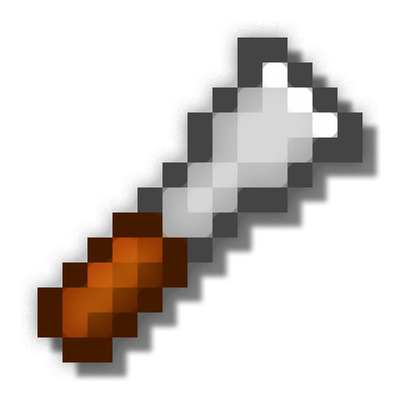
Access to new blocks is provided mostly through one tool, the chisel. The iron chisel is created with a iron ingot and a stick in a diagonal pattern.
Right clicking opens the chiseling interface.

Place a block in the chiseling slot (top left) and you may turn it in the same group.
Chisel also adds another tool called the Ender Offset Wand. Some blocks such as the Factory Block's Massive Fan has a texture that spans over multiple blocks. The Ender Offset Wand can be used to shift a texture up or down and left or right.
There is a more sophisticated version of the Chisel tool, named the iChisel. It is spring-loaded with many helpful features. Experiment around with it! :)
Other Information
Legacy Downloads and other information is available on https://minecraft.curseforge.com/projects/chisel-venerable
Please report bugs on the issue tracker!
Chisel is licensed under GPL2.
Chisel is free to use in any modpacks, without permission.
The source code is available here: https://github.com/Chisel-Team/Chisel
You can find the latest experimental releases on tterrag's Jenkins.
Want to talk to us, join us on irc.esper.net #ChiselTeam
Spotlights
iskall85
Credits
A lot of textures are from the Painterly pack: http://painterlypack.net/
AUTOMATIC_MAIDEN: The original author, Pokefenn the maintainer for 1.7.10
Asie: Porting the mod to 1.7.2
Cricket: Maintaining mod for 1.7.10.
All the people who helped with code, or donated textures
The Ultimate Guide to Chisel
If you are exploring the vast world of Minecraft modifications, Chisel by tterrag1098 is a standout mod that deserves your attention. With over 165,429,499 downloads, it has become a staple for players looking to enhance their experience. As the creator describes it, this project is "A builder's best friend.". Whether you are a veteran builder constructing massive cities, or simply a casual player looking to upgrade your survival world, this guide will provide you with all the essential details on how Chisel alters the game.
What Makes It Special?
Unlike standard mods that simply alter superficial elements, Chisel introduces a wide array of visual and mechanical features designed to seamlessly blend into the vanilla aesthetic. tterrag1098 has clearly spent significant time refining the project to ensure that every aspect feels polished and responsive for version 1.16.5.
Installation Guide
Getting Chisel up and running is straightforward. Follow these step-by-step instructions:
- Verify Your Version: Ensure your Minecraft launcher is set to version 1.16.5.
- Install Mod Loader (if required): If this is a mod, download the compatible loader (Forge, Fabric, NeoForge).
- Download the File: Click the secure download button above to retrieve the official file from CurseForge.
- Move the File: Place the downloaded file into your `mods`, `shaderpacks`, or `resourcepacks` folder depending on the mod type.
- Launch and Enjoy: Open Minecraft, navigate to the respective settings menu, and activate Chisel.
Compatibility & Performance
Compatibility is robust. Chisel is designed specifically for version 1.16.5, taking full advantage of the latest engine optimizations. During typical gameplay, this addition maintains a stable frame rate, though lower-end laptops might experience slight stuttering. We recommend pairing this with performance boosters like Sodium or Iris to guarantee a silky-smooth experience.


