
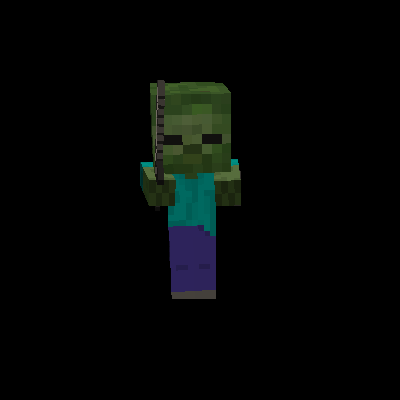
Why AI Improvements is a top-tier mod mod for Minecraft 1.20.1
Performance and logic upgrades for mod AIs
⚙️ Quick Resource Specs
| Mod Creator | QueenOfMissiles |
| Latest Version | 1.20.1 |
| Supported Game Versions | 1.20.1, 1.20, 1.16.1, 1.12.1, 1.8.9 |
| File Size | 7.33 KB |
| Last Updated | |
| Total Downloads | 146,060,305 downloads |
Note[1]: If you have performance issues not covered feel free to make a request.
Note[2]: It is not expected this mod improves performance in all cases. Make sure to test your results to see if you require it.
Discord: https://discord.gg/hNBXPp45Zc
About
Simplified AI modification mod focused on performance and low-level modifications to AIs in the game. Picking up the slack for the base game and improving it for a modded ecosystem. Handling common problems such as too many animals, performance hits from swarms of zombies, and simple remove tasks skipped by larger optimization mods.
Story
AI Improvements was born out of the need to solve server performance for heavily modded packs. As a server's TPS is eaten away by mods all trying to fight over resources. Users often attack this problem by trimming mods and restricting content./functionality Rather than going after the mods I started to look at Minecraft itself. Focusing down on how it was designed to work and how it lent to performance problems.
I found that as a server's population grows so does the amount of entities and geographic load requirements. First thought would be to cut down spawn rates and limit over all entity counts. Yet testing shows minimal benefit especially given how quickly users complain about farms. Eventually after a few other fruitless config solutions I took a look at AI functionality. Quickly it became clear just how poorly optimize the AIs are in the game. After exploring 100s of profiler dumps and testing theories we ended up with AI improvements. With the very first improvement being optimizing math used by AI. Seeing rather massive improvements... especially in regard to player farms :D
Goal
Focus of this mod will always be performance first and low level adjustments second. This is to keep the mod small and easy to manage over the life time of minecraft. For other features we may publish additional mods but recommend some of the wonderful mods already present in the community.
https://www.curseforge.com/minecraft/mc-mods/in-control
FAQ
I installed but didn't see a large gain as promised?
Newer versions of MC implement fixes for the AI. With the last few versions, the rotation fix was implemented in addition to other fixes. Thus, the impact of this mod is much lower than in older versions.
Can this be installed on the server only?
Yes, the mod is coded to function without it being client side
Can this be installed on the client only?
Yes, though it may not do much to improve fps.
Where is the config?
1.12.2-: '.minecraft/config/bbm/AI_Improvements.cfg'
1.14+: '.minecraft/config/aiimprovements-common.toml'
What will happen if I disable the EntityLookHelper replacement?
You're not going to see much of an improvement in the AI code. However, if you enabled the other disable configs it should be fine.
How does this mod work for fixing performance?
It depends on the feature and version of Minecraft. Most of the performance comes from caching heavily calculated values. This has the result of reducing CPU time at the cost of an ignorable amount of RAM. See feature list for exacts...
Current Features
Config to disable AI Watch Closest Entity
By default the config is set to false and will not do anything. When changed to true it will remove an AI segment called EntityAIWatchClosest. This AI segment handles the coded AIs use to rotate their head towards a nearby entity.Visually this will cause a few odd issues. However, for the CPU this frees up a lot of usage caused by entities.
Config to disable AI look random, config is not enabled by default
By default the config is set to false and will not do anything. Setting the config to true will cause entities to no longer use the 'look idle' AI code. This can improve performance for servers will large populations. As almost every entity on the map will use this when not doing anything important. Visually this can cause the entities head to not rotate sometimes but mostly goes unnoticed.
Config to replace EntityLookHelper with a more efficient version, config is enabled by default
This is the main feature of the mod and can greatly improve CPU performance at a small cost to RAM. How this works is MC's look helper code is replaced with a custom version. The custom version stores some data that makes it faster to get the angle for a location. Through some testing with VisualVM result have shown a 50% to 80% decrease in CPU usage by the AI code. For a server with 25 people on constantly this resulted in a gain from 5 to 7 tps.
Modpack Policy
So long as downloads come from CurseForge or our mirror on Modrinth, it is fine. Any external modpacks need to ask permission via Discord.
Contact
Join us on Discord: https://discord.gg/kVT6dpz
The Ultimate Guide to AI Improvements
If you are exploring the vast world of Minecraft modifications, AI Improvements by QueenOfMissiles is a standout mod that deserves your attention. With over 146,060,305 downloads, it has become a staple for players looking to enhance their experience. As the creator describes it, this project is "Performance and logic upgrades for mod AIs". Whether you are a veteran builder constructing massive cities, or simply a casual player looking to upgrade your survival world, this guide will provide you with all the essential details on how AI Improvements alters the game.
What Makes It Special?
Unlike standard mods that simply alter superficial elements, AI Improvements digs deep into the game's engine to provide a cohesive, performance-focused experience. QueenOfMissiles has clearly spent significant time refining the project to ensure that every aspect feels polished and responsive for version 1.20.1.
Installation Guide
Getting AI Improvements up and running is straightforward. Follow these step-by-step instructions:
- Verify Your Version: Ensure your Minecraft launcher is set to version 1.20.1.
- Install Mod Loader (if required): If this is a mod, download the compatible loader (Forge, Fabric, NeoForge).
- Download the File: Click the secure download button above to retrieve the official file from CurseForge.
- Move the File: Place the downloaded file into your `mods`, `shaderpacks`, or `resourcepacks` folder depending on the mod type.
- Launch and Enjoy: Open Minecraft, navigate to the respective settings menu, and activate AI Improvements.
Compatibility & Performance
Compatibility is robust. AI Improvements is designed specifically for version 1.20.1, taking full advantage of the latest engine optimizations. Since this is heavily focused on optimization, you can expect significant frame rate improvements on both low-end and high-end hardware.


