
Why Custom Main Menu is a top-tier mod mod for Minecraft 1.12.2
Allows you to modify the main menu using a simple json file
⚙️ Quick Resource Specs
| Mod Creator | Lumien231 |
| Latest Version | 1.12.2 |
| Supported Game Versions | 1.12.2, 1.8 |
| File Size | 76.39 KB |
| Last Updated | |
| Total Downloads | 135,239,808 downloads |
Description
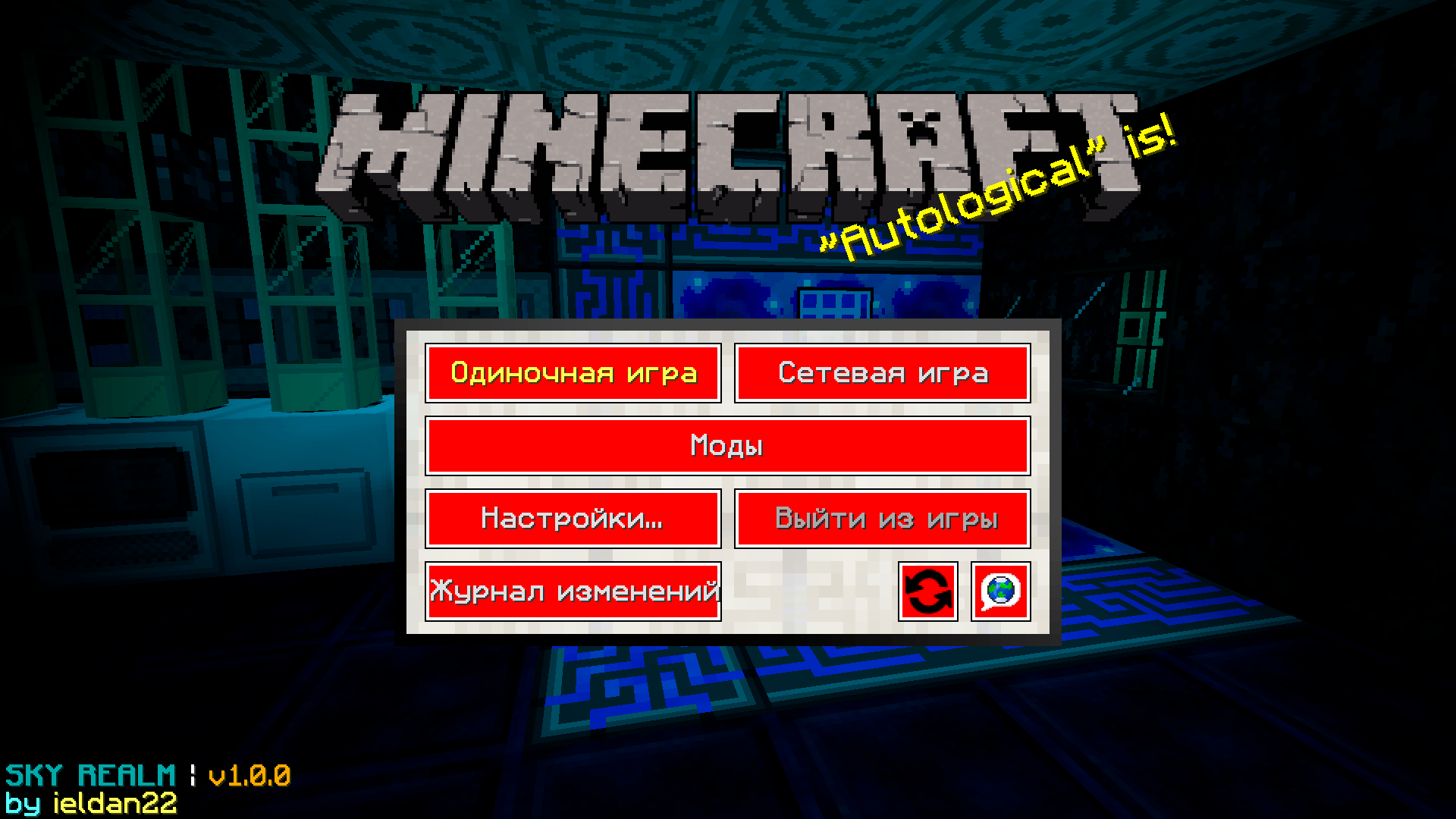
This mod allows you to modify the main menu using a json file, you can modify the content / position of pretty much everything the vanilla menu contains. In addition you can also add new stuff to your menu like a slideshow, web links or completely new sub menus.
Usage
After your first run with this mod the only difference you should notice is that there is an additional button added in your main menu. If you look in the config/CustomMainMenu folder you will notice a file called menu.json. In there you will see all elements the vanilla main menu has, modifying the content and pressing the refresh button ingame will allow you to instantly see what changes you made (You can remove the refresh button once you are happy with your result). Everything in there should be fairly self explanatory if you have ever worked with json files. See the Pages for more Information about the different stuff you can add to your menu.
All cursive properties allow a random value. Example: "text" : ["Text1","Text2","Text3","Text4"]. One of the values will be selected randomly every minecraft run.
For the texture / image / text property it takes a resource location (or (for images) if you use web as your resource domain an url to an image online). You can add your own resources ones using either a resource pack or Resource Loader (easier).
Examples
If you don't wanna go through all the links you can also go to the images tab to see some of the results.
- Config / Result
- Config / Result
- Config / Result
Config/ Result (Custom button text colors & textures)- Config / Result
- Config / Result
- Config / Result
- Config / Result
- Config / Result
- Config / Result
- Config / Result
- Config / Result <- Slideshow example
- Config / Result <- New Action stuff
- Config / Result
- Config / Result
- Config / Result
- Config / Result
- Config / Result
- Config / Result
- Config (1) (2) / Result
- Coming Soon (Also if you have made something nice feel free to post the config & an image of it)
Some of these examples might not work / look properly with the latest CMM version due to changes in the format, they will still provide insight on how the stuff displayed in the example was done though. Also some of these examples might require custom images, these will therefore also look a bit weird when you use them yourself.
Useful Tools
- Textcraft: Websites to generate "logo" type text stuff.
- Minotar: Simple way to get a players skin / head / whatever through an url. Can for example be used together with "web:" to get the avatar of the user as an image.
Reporting Issues
Before creating an issue on github make sure that:
- Your json file is actually valid json (Run it through an online json checker)
- All your resource locations (For example paths to images) are completely lower case (In the json file and your file system)
- You aren't missing any properties / sections that aren't optional.
- That your property names are 100% correct
- If you get missing textures create a folder called debug in your resources folder. That will cause Resource Loader to print a line to the debug log whenever it can't find a file minecraft requested. (Debug log can be found in fml-client-latest.log). Make sure the file path is 100% correct (On Windows you can try to "run" it using Win + R)
Contact
If you have suggestions on what you want modifiable or wanna report a bug you found please do that on my github issue tracker and not on curseforge :).
Feel free to use this mod in any modpack :). You don't have to send me anything.
The Ultimate Guide to Custom Main Menu
If you are exploring the vast world of Minecraft modifications, Custom Main Menu by Lumien231 is a standout mod that deserves your attention. With over 135,239,808 downloads, it has become a staple for players looking to enhance their experience. As the creator describes it, this project is "Allows you to modify the main menu using a simple json file". Whether you are a veteran builder constructing massive cities, or simply a casual player looking to upgrade your survival world, this guide will provide you with all the essential details on how Custom Main Menu alters the game.
What Makes It Special?
Unlike standard mods that simply alter superficial elements, Custom Main Menu introduces a wide array of visual and mechanical features designed to seamlessly blend into the vanilla aesthetic. Lumien231 has clearly spent significant time refining the project to ensure that every aspect feels polished and responsive for version 1.12.2.
Installation Guide
Getting Custom Main Menu up and running is straightforward. Follow these step-by-step instructions:
- Verify Your Version: Ensure your Minecraft launcher is set to version 1.12.2.
- Install Mod Loader (if required): If this is a mod, download the compatible loader (Forge, Fabric, NeoForge).
- Download the File: Click the secure download button above to retrieve the official file from CurseForge.
- Move the File: Place the downloaded file into your `mods`, `shaderpacks`, or `resourcepacks` folder depending on the mod type.
- Launch and Enjoy: Open Minecraft, navigate to the respective settings menu, and activate Custom Main Menu.
Compatibility & Performance
Compatibility is robust. Custom Main Menu is designed specifically for version 1.12.2, taking full advantage of the latest engine optimizations. During typical gameplay, this addition maintains a stable frame rate, though lower-end laptops might experience slight stuttering. We recommend pairing this with performance boosters like Sodium or Iris to guarantee a silky-smooth experience.


