

Why Alpha Piscium is a top-tier shader mod for Minecraft 1.21.11
High-quality realistic Minecraft shaderpack.
⚙️ Quick Resource Specs
| Mod Creator | Luna5ama |
| Latest Version | 1.21.11 |
| Supported Game Versions | 1.21.11, 1.21.10, 1.21.9, 1.21.8, 1.21.7 |
| File Size | 48.31 MB |
| Last Updated | |
| Total Downloads | 61,012 downloads |
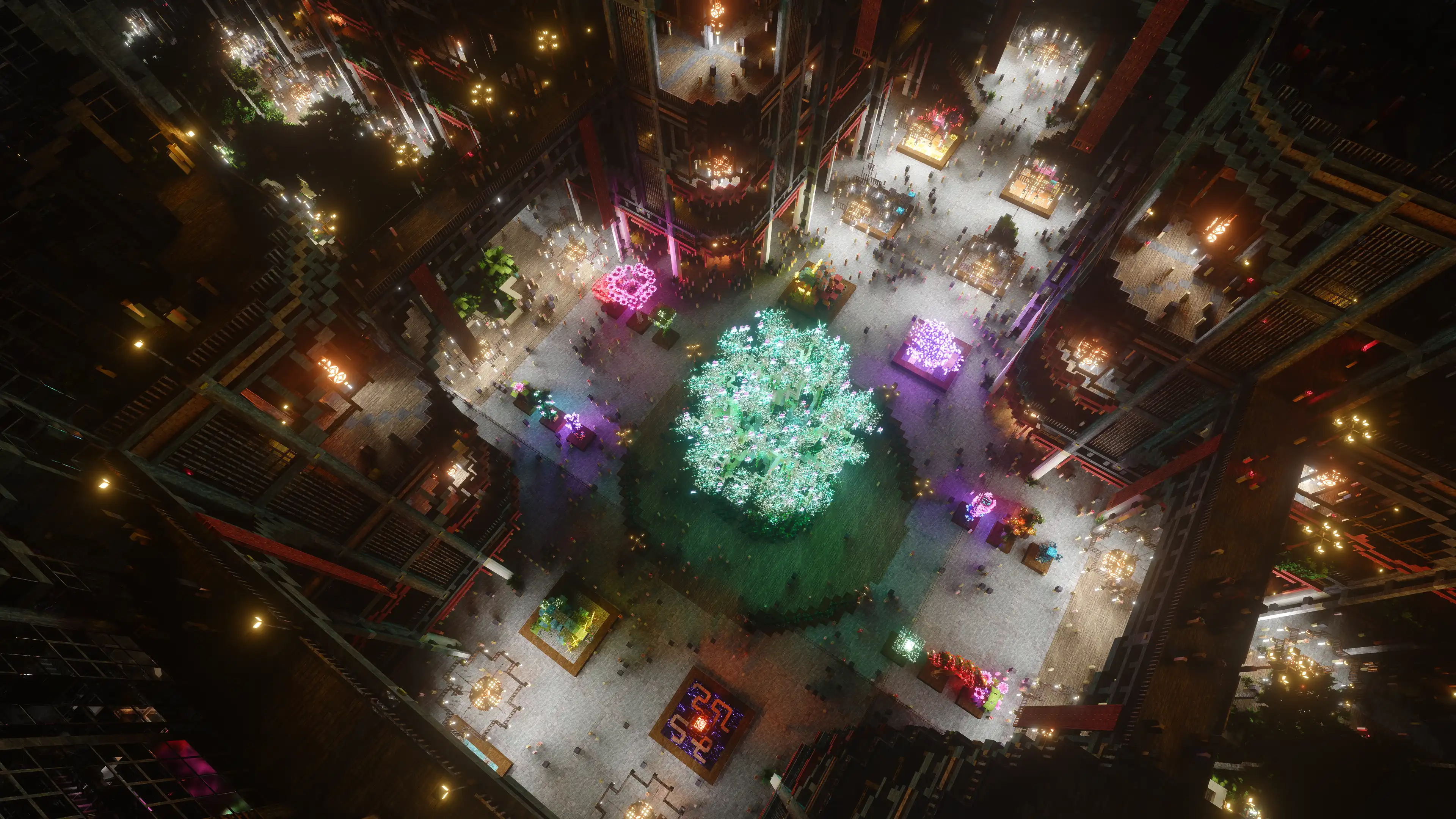
Alpha Piscium
High-quality realistic Minecraft shaderpack featuring global illumination, volumetric clouds, atmospheric scattering, and stunning visual effects.
Official Website link: https://alphapiscium.org/ \ Discord server link: https://discord.gg/E2Uq2MmHgq
Features
- Real-time Global Illumination
- Reservoir-based SpatioTemporal Importance Resampling (ReSTIR) based Screen-Space Global Illumination
- ReBLUR based denoising
- Realistic, real-time, and fast Atmospheric Scattering
- Real-time Volumetric Clouds
- High-quality adaptive Shadows
- Rectilinear Texture Warping (RTWSM)
Installation
- Download the Alpha Piscium shaders for Minecraft
- Install Iris shader loader.
- Open the Minecraft launcher and choose the Iris profile you just created with the version you're playing.
- Launch Minecraft.
- Go to Options → Video Settings → Shader Packs, then click Open Shader Pack Folder.
- Move the downloaded ZIP file into this folder (
.minecraft/shaderpacks). - In-game, select the newly installed pack from the shaders list. (If you select a shader pack using Iris, its filename will turn yellow.)
- Click Done or Apply and the shader will be loaded.
FAQ
- No lighting at night: Please use PBR resource packs. For vanilla style, SPBR is recommended. Otherwise, try Patrix.
- Can't load shaderpack: Please use Iris with version 1.7 or higher.
- Everything goes dark when turning back: This is due to the limitations of screenspace techniques. There isn't a perfect way to fix this.
- Intel GPU: Alpha Piscium uses cutting-edge graphics technology. Unfortunately, Intel doesn't maintain their OpenGL driver well, so Intel GPUs are not supported.
- AMD GPU: Check if your GPU driver is newer than 22.7.1. If older, please update your driver.
- Other loading errors: Press Ctrl+D in Iris's shaderpack selection screen, then reload the shaderpack. Make an issue with the error message and the relevant files in
.minecraft/patched_shadersas shown in the error message.
Roadmap
1.9 Specular GI
- Add specular GI
2.0 World Space Tracing
- Add voxelization and voxel tracing
2.1 DRT Update
- Release Skibidi DRT
- HDR mod support?
2.2 Volumetrics shadowing
- Add cloud shadowing to volumetrics
- Add screen space shadow to volumetrics
2.3 Local fog
- Add ground fog
2.4 Cloud shadow
- Add cloud shadow to terrain rendering
- Add cloud to reflection/GI
2.5 Cloud update part 1
Improve cloud lighting
- Add altocumulus
- Rewrite cirrus modeling
2.6 Cloud udpate part 2
- Rewrite cumulus modeling
- Add stratocumulus and nimbostratus
2.7 Upscaling???
- Add FSR 3.1 (no framegen)
2.8 Parallax mapping???
- Add steep/smooth parallax mapping
- Add parallax mapping shadow
License
Files under the scripts directory are licensed under the MIT License. All other files are licensed under the GNU General Public License v3.0.
The Ultimate Guide to Alpha Piscium
If you are exploring the vast world of Minecraft modifications, Alpha Piscium by Luna5ama is a standout shader that deserves your attention. With over 61,012 downloads, it has become a staple for players looking to enhance their experience. As the creator describes it, this project is "High-quality realistic Minecraft shaderpack.". Whether you are a veteran builder constructing massive cities, or simply a casual player looking to upgrade your survival world, this guide will provide you with all the essential details on how Alpha Piscium alters the game.
What Makes It Special?
Unlike standard shaders that simply alter superficial elements, Alpha Piscium introduces a wide array of visual and mechanical features designed to seamlessly blend into the vanilla aesthetic. Luna5ama has clearly spent significant time refining the project to ensure that every aspect feels polished and responsive for version 1.21.11.
Installation Guide
Getting Alpha Piscium up and running is straightforward. Follow these step-by-step instructions:
- Verify Your Version: Ensure your Minecraft launcher is set to version 1.21.11.
- Install Mod Loader (if required): If this is a mod, download the compatible loader (Forge, Fabric, NeoForge).
- Download the File: Click the secure download button above to retrieve the official file from CurseForge.
- Move the File: Place the downloaded file into your `mods`, `shaderpacks`, or `resourcepacks` folder depending on the shader type.
- Launch and Enjoy: Open Minecraft, navigate to the respective settings menu, and activate Alpha Piscium.
Compatibility & Performance
Compatibility is robust. Alpha Piscium is designed specifically for version 1.21.11, taking full advantage of the latest engine optimizations. During typical gameplay, this addition maintains a stable frame rate, though lower-end laptops might experience slight stuttering. We recommend pairing this with performance boosters like Sodium or Iris to guarantee a silky-smooth experience.


