
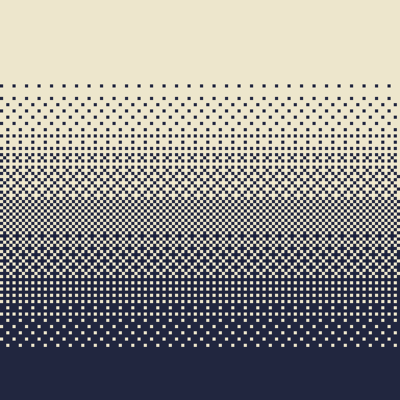
Why Dithering3D is a top-tier shader mod for Minecraft 1.21.11
Pixelated, retro, Dark Fantasy, gradient, B&W, RGB and more
⚙️ Quick Resource Specs
| Mod Creator | cedr0u |
| Latest Version | 1.21.11 |
| Supported Game Versions | 1.21.11, 1.21.10, 1.21.9, 1.21.8, 1.21.7 |
| File Size | 37.93 KB |
| Last Updated | |
| Total Downloads | 95,115 downloads |
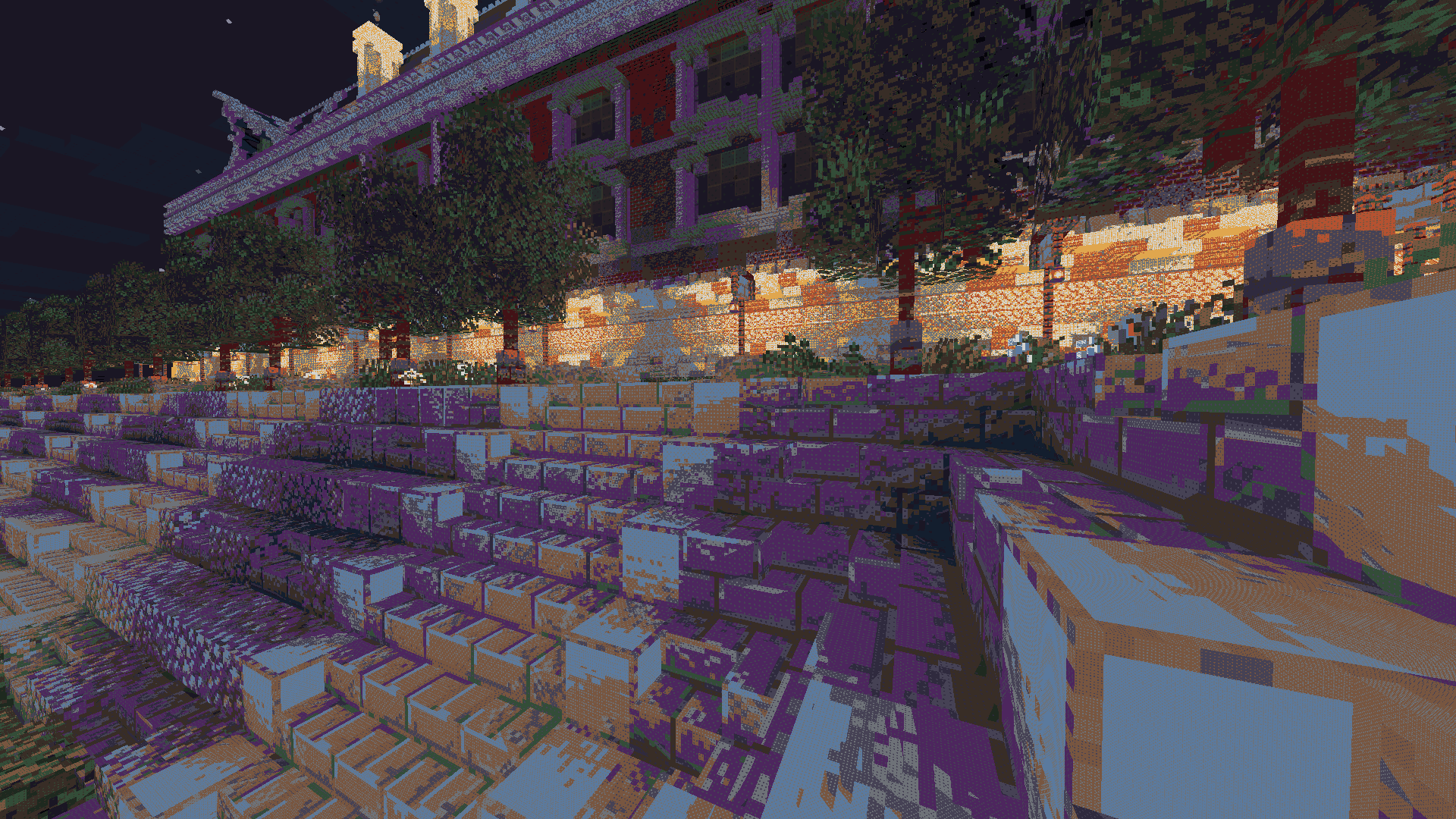
🎨 Dithering3D - Surface-Stable Fractal Dithering




🖼️ Screenshots
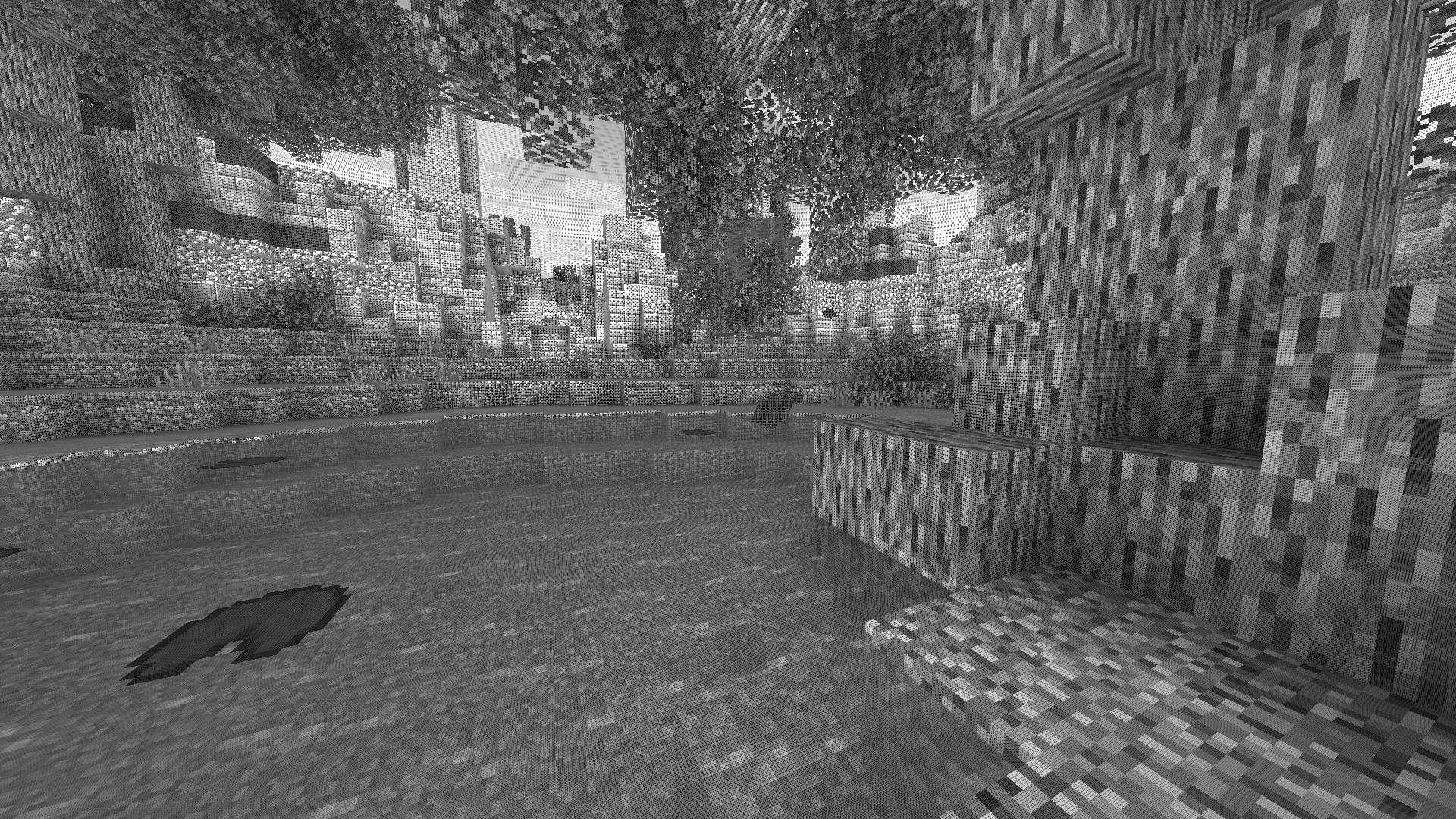
✨ A Revolutionary Visual Experience
Transform your Minecraft world with Surface-Stable Fractal Dithering — a groundbreaking rendering technique where dither dots stick to 3D surfaces instead of the screen, creating a unique manga/comic book aesthetic that feels alive.
🎬 Based on the innovative work by Rune Skovbo Johansen — Watch the explainer video
🖼️ What Makes This Shader Special?
📌 Surface-Stable Dots
Unlike traditional dithering where patterns "swim" on screen, Dither3D anchors each dot to the actual 3D surface. Walk around blocks, and the dots stay perfectly attached!
🔄 Fractal Scaling Magic
As you move closer or farther from surfaces, dots dynamically split or merge to maintain constant screen-space density. It's mesmerizing to watch!
🎨 Three Color Modes
| Mode | Description |
|---|---|
| Grayscale | Classic black & white dithering — clean, minimalist, timeless |
| RGB | Each color channel gets its own dot layer — vibrant and unique |
| CMYK Halftone | Authentic newspaper/comic print simulation with rotated dot angles |
⚡ Features at a Glance
| Feature | Description |
|---|---|
| 🎯 Precision Dithering | SVD-based frequency analysis for mathematically perfect dot placement |
| 🌀 Anti-Stretch Technology | Anisotropic smoothing keeps dots circular even on oblique surfaces |
| 🎥 Camera Stable | Radial compensation prevents dot swimming during camera rotation |
| ⚙️ Highly Configurable | 10+ parameters to fine-tune your perfect look |
| 🚀 Performance Optimized | Efficient 3D texture sampling for smooth gameplay |
| 📱 Universal Compatibility | Works with OptiFine AND Iris on virtually any Minecraft version |
🎛️ Customization Options
Fine-tune every aspect of the dithering effect with our intuitive in-game sliders:
🔧 Dither Settings
| Parameter | Range | Effect |
|---|---|---|
| Dot Scale | 2 - 10 | Control overall dot size (exponential) |
| Size Variability | 0 - 1 | 0 = Bayer pattern, 1 = Halftone style |
| Dot Contrast | 0 - 2 | Sharpen or soften dot edges |
| Stretch Smooth | 0 - 2 | Combat stretched dots on angled surfaces |
💡 Input Controls
| Parameter | Range | Effect |
|---|---|---|
| Exposure | 0 - 5 | Brightness multiplier |
| Offset | -1 to 1 | Brightness offset adjustment |
🎮 Additional Options
- Inverse Dots — Flip dot colors for a negative effect
- Radial Compensation — Stabilize during camera rotation (recommended!)
- Quantize Layers — Prevent dot morphing for a more "classic" look
- Debug Mode — Visualize fractal layers for development
📦 Installation
For OptiFine Users
- Download and extract the shader pack
- Place the
shadersfolder in.minecraft/shaderpacks/ - Launch Minecraft → Options → Video Settings → Shaders
- Select Dithering3D and enjoy!
For Iris Users (Fabric/Quilt)
- Install Iris Shaders mod (1.2.0+)
- Download and extract the shader pack
- Place the
shadersfolder in.minecraft/shaderpacks/ - Press O in-game to open shader menu
- Select Dithering3D
💡 Tip: Press
F3 + Tto quickly reload shaders after making changes!
🎨 Preset Profiles
Choose from pre-configured profiles for instant results:
| Profile | Color Mode | Dot Scale | Best For |
|---|---|---|---|
| 🟢 LOW | Grayscale | 4.0 | Performance, retro feel |
| 🟡 MEDIUM | Grayscale | 5.0 | Balanced experience |
| 🟠 HIGH | RGB | 5.0 | Colorful, artistic |
| 🔴 ULTRA | CMYK | 6.0 | Maximum visual impact |
🌟 Perfect For
| 📸 Screenshot enthusiasts | Create unique, artistic captures |
|---|---|
| 🎬 Content creators | Stand out with a distinctive visual style |
| 🎮 Retro lovers | Relive the charm of 1-bit graphics |
| 🎨 Artists | Manga, comic book, and newspaper aesthetics |
| 🧪 Tech enthusiasts | Experience cutting-edge rendering techniques |
❓ FAQ
Q: Does this work with other shaders?
Dithering3D is a standalone shader pack. Combining with other shaders may cause conflicts.
Q: Why do some surfaces look different?
The sky and some special effects may appear different as surface-stable dithering reveals flat geometry.
Q: Performance impact?
Moderate. The 3D texture sampling is optimized but more demanding than vanilla rendering. Most GPUs handle it smoothly.
Q: Can I use this in my modpack?
Yes! Under MPL-2.0 license. Credit appreciated.
🔬 The Science Behind It
Dithering3D uses Singular Value Decomposition (SVD) to analyze UV coordinate derivatives in real-time, determining the exact frequency and direction of surface textures. This mathematical approach enables:
✅ Perfectly uniform dot density regardless of distance
✅ Seamless fractal transitions between detail levels
✅ Circular dots even on extremely angled surfaces
✅ Rotation-stable patterns that don't "swim"
📚 Credits & Resources
| Resource | Link |
|---|---|
| 🔗 Original Algorithm | Rune Skovbo Johansen |
| 🎥 Technique Explanation | YouTube Video |
| 💬 Technical Discussion | FAQ Thread |
📄 License
Mozilla Public License 2.0 (MPL-2.0)🎨 Transform your world. Experience Dithering3D. 🎨
If you enjoy this shader, consider leaving a ⭐ and sharing this shader page !
The Ultimate Guide to Dithering3D
If you are exploring the vast world of Minecraft modifications, Dithering3D by cedr0u is a standout shader that deserves your attention. With over 95,115 downloads, it has become a staple for players looking to enhance their experience. As the creator describes it, this project is "Pixelated, retro, Dark Fantasy, gradient, B&W, RGB and more". Whether you are a veteran builder constructing massive cities, or simply a casual player looking to upgrade your survival world, this guide will provide you with all the essential details on how Dithering3D alters the game.
What Makes It Special?
Unlike standard shaders that simply alter superficial elements, Dithering3D introduces a wide array of visual and mechanical features designed to seamlessly blend into the vanilla aesthetic. cedr0u has clearly spent significant time refining the project to ensure that every aspect feels polished and responsive for version 1.21.11.
Installation Guide
Getting Dithering3D up and running is straightforward. Follow these step-by-step instructions:
- Verify Your Version: Ensure your Minecraft launcher is set to version 1.21.11.
- Install Mod Loader (if required): If this is a mod, download the compatible loader (Forge, Fabric, NeoForge).
- Download the File: Click the secure download button above to retrieve the official file from CurseForge.
- Move the File: Place the downloaded file into your `mods`, `shaderpacks`, or `resourcepacks` folder depending on the shader type.
- Launch and Enjoy: Open Minecraft, navigate to the respective settings menu, and activate Dithering3D.
Compatibility & Performance
Compatibility is robust. Dithering3D is designed specifically for version 1.21.11, taking full advantage of the latest engine optimizations. During typical gameplay, this addition maintains a stable frame rate, though lower-end laptops might experience slight stuttering. We recommend pairing this with performance boosters like Sodium or Iris to guarantee a silky-smooth experience.


