
Why Reflexa is a top-tier shader mod for Minecraft 1.21.11
Reflexa: Advanced Minecraft shader with dynamic volumetric clouds, realistic water physics, enhanced lighting, shadows & reflections, atmospheric effects, circular sun/moon, bloom, motion blur, customizable colors & optimized performance.
⚙️ Quick Resource Specs
| Mod Creator | IXSG |
| Latest Version | 1.21.11 |
| Supported Game Versions | 1.21.11, 1.21.10, 1.21.9, 1.21.8, 1.21.7 |
| File Size | 2.41 MB |
| Last Updated | |
| Total Downloads | 96,748 downloads |
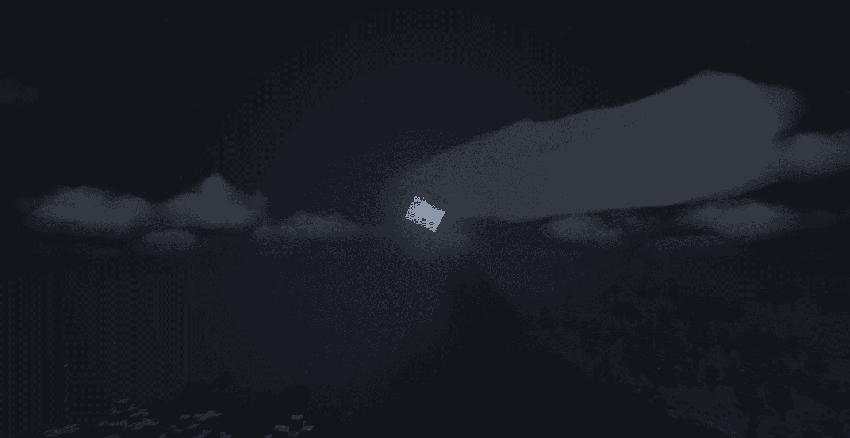
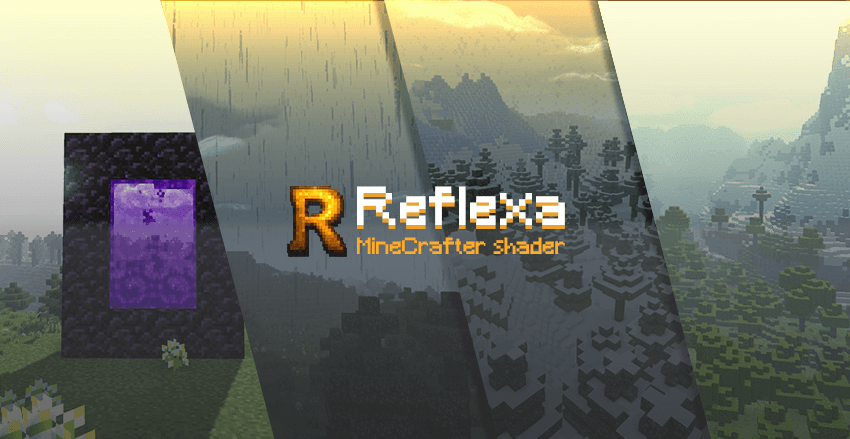

A high-performance Minecraft shader that enhances your visual experience without compromising gameplay.
Reflexa is a modified shader pack based on MakeUp - Ultra Fast, designed to provide realistic graphics while maintaining smooth performance. Perfect for players who want better visuals without heavy system requirements.

**💧 Water & Reflections**
• Realistic water refraction with light bending effects
• Enhanced underwater clarity for better exploration
• Dynamic wave animations and surface reflections
**☁️ Advanced Sky System**
• Three-dimensional volumetric clouds with natural movement
• Real-time weather effects and atmospheric changes
• Improved cloud shadows across landscapes
**✨ Lighting & Shadows**
• Enhanced lighting engine with colored shadow casting
• Ambient occlusion for realistic depth and shadows
• Material-based reflections on metallic and glass surfaces
• Perfectly circular sun and moon rendering
**🎨 Post-Processing Effects**
• Natural bloom effects around light sources
• Smooth motion blur for cinematic feel
• Adjustable depth of field for photography
• Customizable color palettes and schemes
**� Multi-World Support**
• **Overworld** → Complete lighting system with weather
• **Nether** → Clear visibility with enhanced fire visuals
• **End** → Purple starfield replacing vanilla clouds

- **Speed Mode**: Maximum FPS for competitive play
- **Balanced**: Good mix of quality and performance
- **High Quality**: Better visuals for screenshots
- **Ultra**: Maximum visual quality
## 📦 **Installation**
1. Install OptiFine or compatible shader loader
2. Download Reflexa shader pack
3. Place in your Minecraft shaders folder
4. Select Reflexa from shaders menu
5. Choose your performance profile

This shader is based on **[MakeUp - Ultra Fast] by **KDXavier**.
**Original Repository**
**License**: GNU Lesser General Public License v3.0
**Modified by**: VcorA & Contributors
**Our Improvements**:
- Enhanced water physics
- Advanced cloud system
- Better lighting optimization
- Multi-dimensional support
---
*Thank you for using Reflexa Shader Pack!*
The Ultimate Guide to Reflexa
If you are exploring the vast world of Minecraft modifications, Reflexa by IXSG is a standout shader that deserves your attention. With over 96,748 downloads, it has become a staple for players looking to enhance their experience. As the creator describes it, this project is "Reflexa: Advanced Minecraft shader with dynamic volumetric clouds, realistic water physics, enhanced lighting, shadows & reflections, atmospheric effects, circular sun/moon, bloom, motion blur, customizable colors & optimized performance.". Whether you are a veteran builder constructing massive cities, or simply a casual player looking to upgrade your survival world, this guide will provide you with all the essential details on how Reflexa alters the game.
What Makes It Special?
Unlike standard shaders that simply alter superficial elements, Reflexa digs deep into the game's engine to provide a cohesive, performance-focused experience. IXSG has clearly spent significant time refining the project to ensure that every aspect feels polished and responsive for version 1.21.11.
Installation Guide
Getting Reflexa up and running is straightforward. Follow these step-by-step instructions:
- Verify Your Version: Ensure your Minecraft launcher is set to version 1.21.11.
- Install Mod Loader (if required): If this is a mod, download the compatible loader (Forge, Fabric, NeoForge).
- Download the File: Click the secure download button above to retrieve the official file from CurseForge.
- Move the File: Place the downloaded file into your `mods`, `shaderpacks`, or `resourcepacks` folder depending on the shader type.
- Launch and Enjoy: Open Minecraft, navigate to the respective settings menu, and activate Reflexa.
Compatibility & Performance
Compatibility is robust. Reflexa is designed specifically for version 1.21.11, taking full advantage of the latest engine optimizations. Since this is heavily focused on optimization, you can expect significant frame rate improvements on both low-end and high-end hardware.


