
Why BVS - Best Shader is a top-tier shader mod for Minecraft 1.21.11
Very Simple and Best shader for You!
⚙️ Quick Resource Specs
| Mod Creator | LoLip_p |
| Latest Version | 1.21.11 |
| Supported Game Versions | 1.21.11, 1.21.10, 1.21.9, 1.21.8, 1.21.7 |
| File Size | 64.45 KB |
| Last Updated | |
| Total Downloads | 141,890 downloads |
ABOUT:
Hi, I'm LoLip_p! I created this shader by saving vanilla Minecraft. I also tried to make flexible settings so that you can disable or enable the available functions to your liking. Support the author on Boosty.
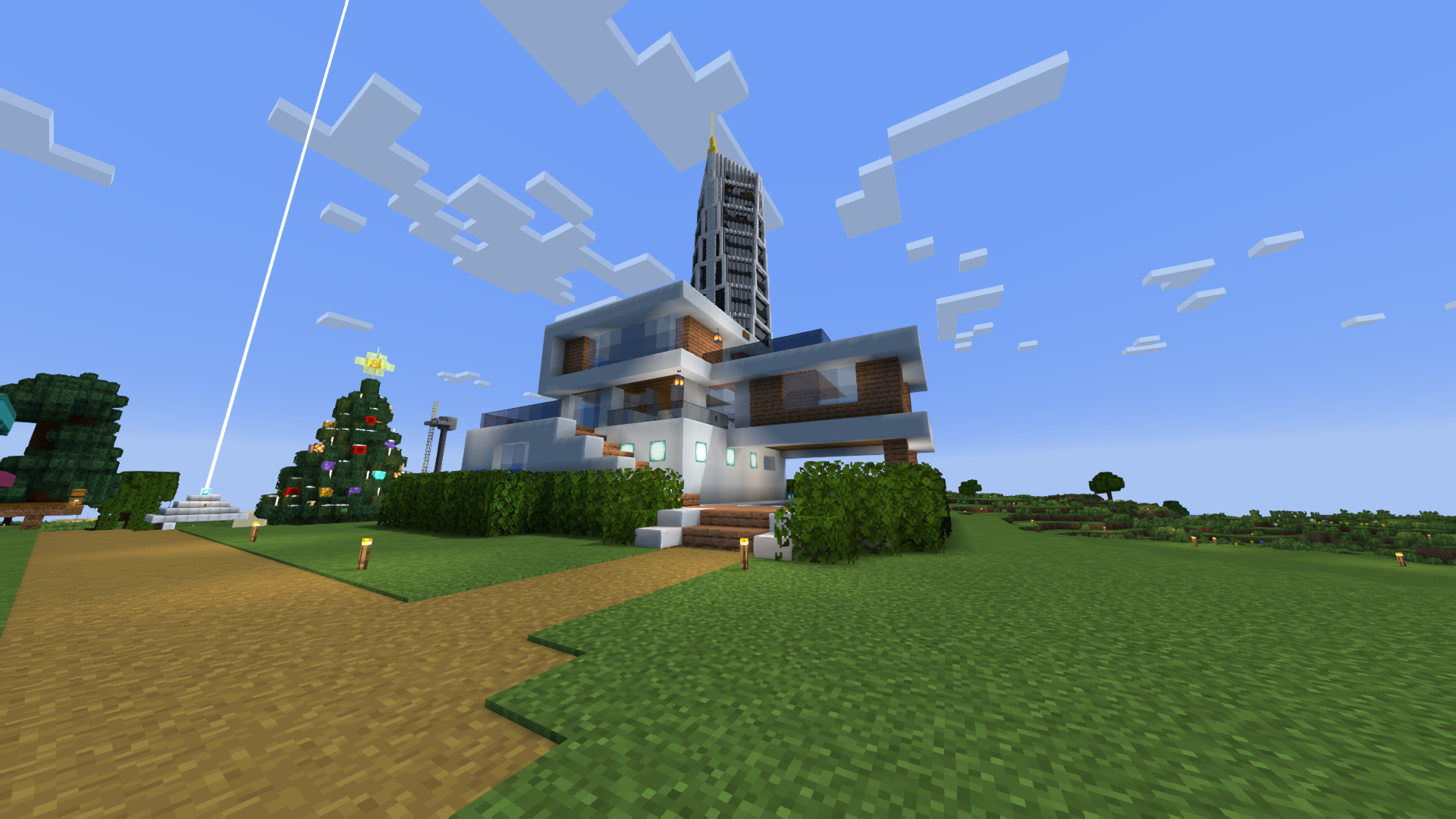
SCREENSHOT:
THE SHADER HAS:
- Support Better Clouds
- Support Distant Horizons
- Depth of Field
- Motion Blur
- Shading (Shading the edges that do not fall under the sun's rays)
- Shadows
- Auto Exposure
- Color Correction
- FXAA (anti-aliasing)
- Support 7 language: EN RU UK FR DE CH BR
LINKS:
INSTALL THE SHADERS
- Download Client Which Supports Installing Shaders Such As Optifine And Iris
- Download The Shaders
- Copy Shaders to /.minecraft/shaderpacks
- Launch Minecraft, Go To Options --> Video Settings --> Shaders
- Choose BVS - Best Vanilla Shader
DEMO VIDEO
The Ultimate Guide to BVS - Best Shader
If you are exploring the vast world of Minecraft modifications, BVS - Best Shader by LoLip_p is a standout shader that deserves your attention. With over 141,890 downloads, it has become a staple for players looking to enhance their experience. As the creator describes it, this project is "Very Simple and Best shader for You!". Whether you are a veteran builder constructing massive cities, or simply a casual player looking to upgrade your survival world, this guide will provide you with all the essential details on how BVS - Best Shader alters the game.
What Makes It Special?
Unlike standard shaders that simply alter superficial elements, BVS - Best Shader introduces a wide array of visual and mechanical features designed to seamlessly blend into the vanilla aesthetic. LoLip_p has clearly spent significant time refining the project to ensure that every aspect feels polished and responsive for version 1.21.11.
Installation Guide
Getting BVS - Best Shader up and running is straightforward. Follow these step-by-step instructions:
- Verify Your Version: Ensure your Minecraft launcher is set to version 1.21.11.
- Install Mod Loader (if required): If this is a mod, download the compatible loader (Forge, Fabric, NeoForge).
- Download the File: Click the secure download button above to retrieve the official file from CurseForge.
- Move the File: Place the downloaded file into your `mods`, `shaderpacks`, or `resourcepacks` folder depending on the shader type.
- Launch and Enjoy: Open Minecraft, navigate to the respective settings menu, and activate BVS - Best Shader.
Compatibility & Performance
Compatibility is robust. BVS - Best Shader is designed specifically for version 1.21.11, taking full advantage of the latest engine optimizations. During typical gameplay, this addition maintains a stable frame rate, though lower-end laptops might experience slight stuttering. We recommend pairing this with performance boosters like Sodium or Iris to guarantee a silky-smooth experience.


