
Why Phoxel PT is a top-tier shader mod for Minecraft 1.21
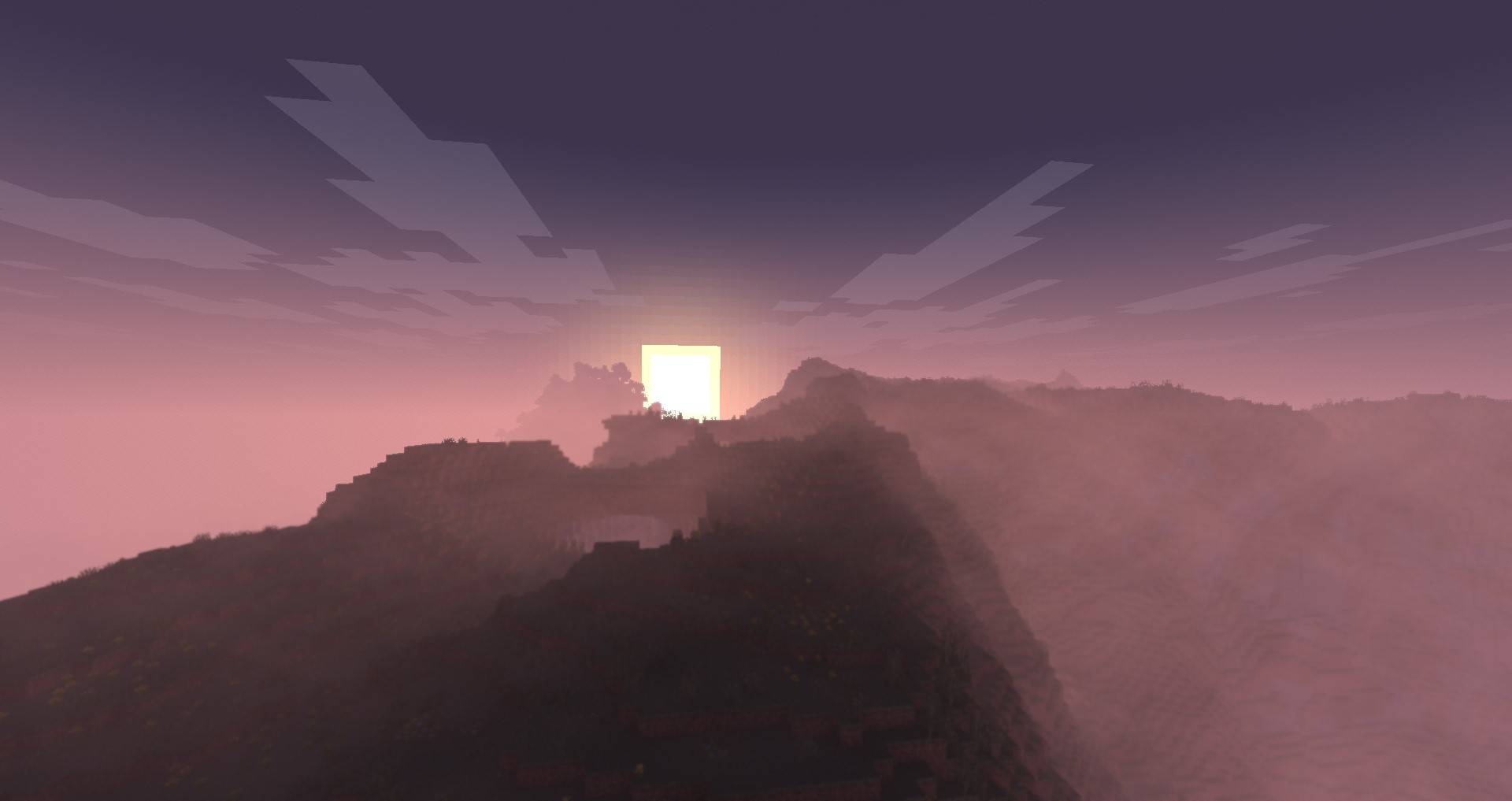
[WIP] Phoxel strives to capture some of the beauty of real life, mixed with the unique ambience and blocky beauty of the Minecraft we've all come to love
⚙️ Quick Resource Specs
| Mod Creator | Despatra |
| Latest Version | 1.21 |
| Supported Game Versions | Minecraft 1.21+ |
| File Size | 3.77 MB |
| Last Updated | |
| Total Downloads | 94,074 downloads |
Please read!
This shader is still in beta, expect to encounter issues, because you will. When you do come across issues, let me know about it! I am actively working on improving and fixing up Phoxel, and your help will make it a lot easier
About Phoxel
Phoxel was started because of a lack of publicly available path tracing shaders for Minecraft, and was originally meant to be purely vanilla in it's style. But with the 0.6 re-release, Phoxel is starting to take on it's own visual style, and I now strive for Phoxel to capture some of the beauty of real life, mixed with the unique ambience and blocky beauty of the Minecraft we've all come to love.
Phoxel currently covers two shaders: Phoxel PT, and Phoxel Lite, some info will differ between the two. All new releases and features will come out on Phoxel PT before Phoxel Lite, but Phoxel Lite will have a few features before Phoxel PT, purely because some features are much easier to implement without path tracing.
Phoxel PT
Phoxel PT is designed for screenshots, if you want to use Phoxel for gameplay, please check out Phoxel Lite (Not yet available)
Phoxel PT is the original, with the goal of eventually capturing Phoxel, with it's core philosophy, at it's absolute best. (with some render time of course :P)
Extra Info
Report issues and see up coming updates for the project on Github. See events, ask questions, and do more in the Discord
Most Recent Update
Phoxel is back, but there are changes to how things will work:
- I will no longer be releasing Beta versions, instead all projects will now only include releases and patches
- All full releases will receive patches to make sure they work with the most recent version of Minecraft
Generally this does mean releases will be much more spread out in comparison to pre Phoxel Beta 0.5 releases, but I feel you all deserve not crappy shaders and projects. I'm going to try a couple more things, but if what I try doesn't work, or is something beyond me, Phoxel will not be able to be as performant as needed, and may move to a screenshot directed shader, rather than a real time path tracer, and the quality will probably never be comparable to others.
The Ultimate Guide to Phoxel PT
If you are exploring the vast world of Minecraft modifications, Phoxel PT by Despatra is a standout shader that deserves your attention. With over 94,074 downloads, it has become a staple for players looking to enhance their experience. As the creator describes it, this project is "[WIP] Phoxel strives to capture some of the beauty of real life, mixed with the unique ambience and blocky beauty of the Minecraft we've all come to love". Whether you are a veteran builder constructing massive cities, or simply a casual player looking to upgrade your survival world, this guide will provide you with all the essential details on how Phoxel PT alters the game.
What Makes It Special?
Unlike standard shaders that simply alter superficial elements, Phoxel PT introduces a wide array of visual and mechanical features designed to seamlessly blend into the vanilla aesthetic. Despatra has clearly spent significant time refining the project to ensure that every aspect feels polished and responsive for version 1.21.
Installation Guide
Getting Phoxel PT up and running is straightforward. Follow these step-by-step instructions:
- Verify Your Version: Ensure your Minecraft launcher is set to version 1.21.
- Install Mod Loader (if required): If this is a mod, download the compatible loader (Forge, Fabric, NeoForge).
- Download the File: Click the secure download button above to retrieve the official file from CurseForge.
- Move the File: Place the downloaded file into your `mods`, `shaderpacks`, or `resourcepacks` folder depending on the shader type.
- Launch and Enjoy: Open Minecraft, navigate to the respective settings menu, and activate Phoxel PT.
Compatibility & Performance
Compatibility is robust. Phoxel PT is designed specifically for version 1.21, taking full advantage of the latest engine optimizations. During typical gameplay, this addition maintains a stable frame rate, though lower-end laptops might experience slight stuttering. We recommend pairing this with performance boosters like Sodium or Iris to guarantee a silky-smooth experience.


